Shop Lithe Beauty
Available now
Licenses:
Ships from and sold by Amazon.com Services LLC.
By purchasing this product, you agree to Amazon’s Games and Software Terms of Use and Amazon's Conditions of Use and authorize us to charge your default payment method or another payment method on file after the initial subscription period. Your subscription automatically renews until cancelled and you will be charged $239.88/year (plus any taxes). However, renewal prices following any initial subscription or promotional period may change with prior notice to you. You may cancel your subscription at any time by visiting Your Memberships & Subscriptions.
If you cancel within the first 1 month of your subscription, we'll give you a full refund.
  • 6 VIDEOS
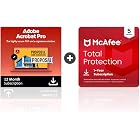
  • Adobe Acrobat Pro | PDF Software | Convert, Edit, E-Sign, Protect | PC/Mac Online Code | Activation Required
  • Adobe Acrobat AIAdobe Inc.
The video showcases the product in use.The video guides you through product setup.The video compares multiple products.The video shows the product being unpacked.
Video Player is loading.
Current Time 
Duration 
Loaded: 0%
Stream Type LIVE
Remaining Time 
 
1x

Adobe Acrobat Pro | PDF Software | Convert, Edit, E-Sign, Protect | PC/Mac Online Code | Activation Required

Platform : Windows 8.1, Windows 10, Mac OS X
4.4 out of 5 stars (1,138)
Amazon's Choice highlights highly rated, well-priced products available to ship immediately.
Amazon's Choice

$239.88 per year
Get $50 off instantly: Pay $189.88 $239.88 upon approval for Amazon Visa. No annual fee.
After purchase, your subscription(s) can be activated and managed from Your Memberships & Subscriptions. Activation is required to use your subscription.
By placing your order, you're purchasing digital currency or a license to a digital product, and you agree to our Games and Software Terms of Use and any Developer or Publisher Terms of Use that apply.
Note: Currently, this item is available only to customers located in the United States.
Brief content visible, double tap to read full content.
Full content visible, double tap to read brief content.
Platform For Display: Annual Auto-Renewing
Edition: Acrobat Pro
{"desktop_buybox_group_1":[{"displayPrice":"$239.88","priceAmount":239.88,"currencySymbol":"$","integerValue":"239","decimalSeparator":".","fractionalValue":"88","symbolPosition":"left","hasSpace":false,"showFractionalPartIfEmpty":true,"offerListingId":"Bn2yTrsW3EfsNfnwtoi%2BJHDx9fWDcJU9QFFfFihYMpN12%2BqWPG4wxo%2Bk3MfKM2qY3HA0D%2FPPUA%2BefuylJDwt9j%2Bgb%2F57P41TzgWxgmliWUBrkVla5HgcUOYPSXCj5Xo%2BACBWpYXSNao9lO9QKteR7TAnzI420CPKL11bP0JlkFxoRoqm6WQt%2Fg%3D%3D","locale":"en-US","buyingOptionType":"NEW","aapiBuyingOptionIndex":0}]}

Purchase options and add-ons

  • Create and edit PDFs. Collaborate with ease. E-sign documents and collect signatures. Get everything done in one app, wherever you go.
  • Edit text and images without jumping to another app.
  • E-sign documents or request e-signatures on any device. Recipients don’t need to log in to e-sign.
  • Convert PDFs to editable Microsoft Word, Excel, or PowerPoint documents.
  • Share PDFs for collaboration. Commenting features make it easy for reviewers to comment, mark up, and annotate.
  • Add password security to PDFs to prevent unauthorized access and protect sensitive information.
  • Chat with your PDFs with AI Assistant (available as an add-on). Generate summaries, get quick answers, create impactful content, and level up your productivity.

Product details

  • Is Discontinued By Manufacturer ‏ : ‎ No
  • Date First Available ‏ : ‎ April 1, 2019
  • Manufacturer ‏ : ‎ Adobe
  • ASIN ‏ : ‎ B07Q4QZGFR
  • Best Sellers Rank: #20 in Software (See Top 100 in Software)
  • Customer Reviews:
    4.4 out of 5 stars (1,138)

Product Description

Adobe Acrobat Pro is the ultimate tool for creating, editing, and managing PDF documents, streamlining your workflow at the office or on the go. Create and edit PDFs, collaborate with colleagues, and securely e-sign documents, all within a single, versatile app. Edit text and images directly within a PDF without needing to jump to another app. This seamless integration saves time and ensures a smooth editing process. Additionally, Acrobat Pro allows you to convert PDFs into editable Microsoft Word, Excel, or PowerPoint documents, making it easier to repurpose content and collaborate across different platforms. E-sign documents or request e-signatures on any device, ensuring that important agreements are signed promptly. Recipients can sign documents without needing to log in, simplifying the process. Collaboration is easy with Acrobat Pro's sharing and commenting features. Share PDFs for review and enable others to comment, mark up, and annotate directly within the document. This real-time collaboration helps keep projects moving forward efficiently. Document security is a top priority with Acrobat Pro. Add password protection to PDFs to prevent unauthorized access and safeguard sensitive information. This feature is essential for maintaining confidentiality and compliance with data protection regulations. Save time and simplify your workflow across multiple documents with AI Assistant (available as an add-on). Chat with your PDFs, generate summaries, get quick answers, create impactful content, and level up your productivity. Currently, AI Assistant supports PDFs in English with plans to add additional languages in future releases. Fill out PDF forms and organize your PDFs by removing unnecessary pages and adding new ones as needed. You can also create editable PDF forms to capture form data securely. The visual comparison tool allows you to spot changes fast between different versions of a PDF. This feature ensures accuracy and helps you keep track of revisions.


From the manufacturer

Adobe Acrobat Pro – the full package for PDFs.

Adobe Acrobat Pro

Adobe Acrobat Pro gives you access to more than 25 functions for managing your PDFs effectively and optimising them with additional services such as scanning & OCR or rich media. You can use the services anywhere – on a desktop, the web or a mobile device. The functions update automatically.

Get more out of your PDFs.

Acrobat Convert

Convert any format to PDF and vice versa.

Microsoft Office files, websites or photos – you can create high-quality PDFs from these and all sorts of other formats in just a few clicks. This works in the other direction as well; you can export a PDF to save it as a different file format.

Acrobat Edit

Edit text or crop pictures.

Have you noticed a spelling mistake? Are the illustrations not quite right yet? No problem – you can make changes directly within the PDF. You can add text, correct typing errors and edit pictures. When you edit entire pages, the paragraphs will automatically adjust to fit.

Share your PDF and ask others for feedback.

Share your PDF and ask others for feedback.

Done. Your PDF is finished and ready for feedback from your team. E-mail a link to everyone involved in the project so that they can look over the file and add their comments. You don't need to log in or sign up for anything. You'll be notified directly as soon as anything new comes up.

Obtain signatures, or sign it yourself.

Obtain signatures, or sign it yourself.

You just need one last signature and then it's official. With Adobe Acrobat Pro, you can easily obtain and keep track of legally binding signatures without having to worry about printing or scanning. All you need is the recipient's e-mail address.

Meet AI Assistant in Adobe Acrobat.

The video showcases the product in use.The video guides you through product setup.The video compares multiple products.The video shows the product being unpacked.
Video Player is loading.
Current Time 
Duration 
Loaded: 0%
Stream Type LIVE
Remaining Time 
 
1x

Ask AI Assistant.

Ask AI Assistant. Now you can engage with your document. Ask it questions and get quick answers linked to sources primarily from your doc. Then use the responses to craft your emails, presentations and more — helping you sound like an expert in seconds.

Compare the functions included in the offerings.

Acrobat Pro

Acrobat Standard

Acrobat Classic

Acrobat Classic - Student

Customer Reviews
4.4 out of 5 stars 1,138
3.6 out of 5 stars 53
2.9 out of 5 stars 13
3.6 out of 5 stars 32
Price
$239.88 $179.88 $324.00
Available for macOS
Available for Windows
Create PDFs
Share PDFs
Work across multiple devices
Sign electronically
Compare PDFs
Rich media
Scanning & OCR
Censor confidential info
Preflight and high-end print
  • The full version of the Adobe Acrobat Pro desktop software with the benefits of Document Cloud so you can access files anywhere. You can use Adobe Sign with browsers and mobile devices and use the Adobe Acrobat Reader, Scan and Fill & Sign apps.

  • Adobe Acrobat Pro can be used without restrictions on macOS and Windows.

  • Yes. From identity management and confidentiality to document integrity, Adobe uses industry-standard security practices to ensure that your documents, data and personal information are given the best protection at all times.

  • With Adobe Acrobat Pro on your desktop or mobile device, you can access files in your Dropbox, Box, Microsoft OneDrive or Microsoft SharePoint account.

  • Feature currently for specific PDF criteria:

    - Files <25MB, <120 pages supported

    - Permissions preventing processing not supported

    - Scanned PDFs not supported

Customer reviews

4.4 out of 5 stars
1,138 global ratings
Poor performance and vague error messages
2 out of 5 stars
Poor performance and vague error messages
I regret my purchase. I have a decent PC (32gb ram, 16 core cpu, gaming gpu) and high speed internet, but Adobe Acrobat Pro runs like it is 1989. I have also been getting a vague error message (more tool components being installed) for 2 days. I bought this thinking it would help me crank out a rush project, but instead, it's slow and frustrating.
Thank you for your feedback
Sorry, there was an error
Sorry we couldn't load the review

Top reviews from the United States

  • 5 out of 5 stars
    Does not crash
    Reviewed in the United States on January 16, 2026
    Brief content visible, double tap to read full content.
    Full content visible, double tap to read brief content.

    I'm very please with this version. I had been using a 15 year old version of Adobe Acrobat Professional. It would crash when I tried to open newly created PDFs. I thought it might be that I didn't have the current version/updates. Those PDFs now open.

    I export PDFs to Word and images. I also add text to PDFs.

    My only issue is that controls that used to be on the left are now on the right and vice versa. I see no way to change that.

    2 people found this helpful
    Sending feedback...
    Thank you for your feedback.
    Sending feedback...
    Thanks, we'll investigate in the next few days.
  • 5 out of 5 stars
    Streamline Your Document Workflow with Adobe Acrobat Professional DC
    Reviewed in the United States on May 13, 2024
    Brief content visible, double tap to read full content.
    Full content visible, double tap to read brief content.

    Adobe Acrobat Professional DC is the ultimate tool for professionals and businesses seeking to streamline their document workflow, enhance collaboration, and achieve greater productivity. With its comprehensive features, intuitive interface, and seamless integration with the Adobe Document Cloud, Acrobat Professional DC empowers users to create, edit, share, and sign PDF documents with ease and confidence.

    Robust Editing Tools: Acrobat Professional DC offers a comprehensive suite of editing tools that allow users to modify PDF documents with precision and efficiency. Whether you need to edit text, images, or formatting, Acrobat provides intuitive tools for making quick edits or extensive revisions. From simple typo corrections to complex document restructuring, Acrobat makes it easy to polish your PDFs to perfection.

    Effortless Conversion: With Acrobat Professional DC, converting documents to PDF format is a breeze. Whether you're converting Word, Excel, or PowerPoint files, Acrobat preserves the original layout, formatting, and content of your documents, ensuring a seamless transition to the PDF format. Additionally, Acrobat supports conversion from PDF to other formats, allowing for greater flexibility in sharing and distributing documents.

    Secure Document Management: Protecting sensitive information is crucial in today's digital world, and Acrobat Professional DC offers robust security features to safeguard your documents. With password protection, encryption, and digital signatures, Acrobat ensures that your documents remain secure and tamper-proof, whether they're stored locally or shared online. Additionally, Acrobat provides tools for redacting sensitive information and securely sharing documents with authorized users.

    Collaborative Workflows: Collaboration is essential for modern businesses, and Acrobat Professional DC facilitates seamless collaboration with its intuitive review and commenting tools. Users can easily share documents with colleagues, clients, or stakeholders and collect feedback in real-time. With features like track changes, comments, and annotations, Acrobat streamlines the review process, enabling efficient collaboration and faster decision-making.

    Mobile Accessibility: In today's mobile-centric world, the ability to work on documents anytime, anywhere is essential. Acrobat Professional DC offers mobile apps for iOS and Android devices, allowing users to access, edit, and share PDFs on the go. Whether you're in the office, on a business trip, or working remotely, Acrobat ensures that you can stay productive and connected wherever life takes you.

    Seamless Integration: Acrobat Professional DC seamlessly integrates with other Adobe Creative Cloud applications, such as Adobe Photoshop, Illustrator, and InDesign, allowing for smooth transitions between different creative workflows. Whether you're adding graphics to a PDF, incorporating PDFs into a design project, or exporting documents for printing, Acrobat ensures compatibility and consistency across all your creative endeavors.

    In conclusion, Adobe Acrobat Professional DC is a powerful tool that empowers professionals and businesses to take control of their document workflows, enhance collaboration, and achieve greater efficiency and productivity. With its robust editing tools, effortless conversion capabilities, secure document management features, collaborative workflows, mobile accessibility, and seamless integration with other Adobe applications, Acrobat Professional DC is the ultimate solution for creating, editing, and managing PDF documents with confidence and ease. Upgrade to Acrobat Professional DC today and unlock a world of possibilities for your document workflow.

    3 people found this helpful
    Sending feedback...
    Thank you for your feedback.
    Sending feedback...
    Thanks, we'll investigate in the next few days.
  • 5 out of 5 stars
    This is the gold standard for PDFs
    Reviewed in the United States on August 29, 2023
    Brief content visible, double tap to read full content.
    Full content visible, double tap to read brief content.

    I do a fair amount of PDF work for the various volunteer organizations that I am involved with. Not a ton, but enough to justify the cost of Adobe Acrobat Pro.

    I've used this software for years. It's just so feature packed that I couldn't get by without it. You can go to Adobe's website to see all the features, so I won't rehash them for this review. Suffice it say that this software has everything that you could possibly need to work with PDFs and it just works flawlessly.

    For those reviewers who said it was a problem to activate the subscription, my experience was exactly the opposite. Zero problem. As soon as I completed the purchase, an activation screen popped up. I linked this subscription to my existing Adobe account by simply entering my e-mail, and then it was active. Literally 10 seconds.

    I can't comment on any of the cheaper non-Adobe alternative products because I have never used them, but I highly recommend Adobe Acrobat Pro.

    9 people found this helpful
    Sending feedback...
    Thank you for your feedback.
    Sending feedback...
    Thanks, we'll investigate in the next few days.
  • 1 out of 5 stars
    Unauthorized renew of a product you cannot access or use.
    Reviewed in the United States on November 25, 2024
    Brief content visible, double tap to read full content.
    Full content visible, double tap to read brief content.

    I purchased this product in the autumn of 2022 for a two-year subscription. After about 6 months, I was no longer able to access the software or use it because it suddenly required a password. Say, what? That had not been the case when I made the purchase and used it for the first six months. I was never able to gain access since mid-year of 2023. It was worthless to me and no assistance to remedy the situation was ever provided.

    Amazon just informed me today, via email, that they had renewed my subscription for just under 300 dollars. I was never asked by Amazon or Adobe if I wanted or agreed to a renewal. It just happened! On top of that, once I went into the system and opted to cancel that unauthorized subscription, not only was I told that it was cancelled, but that I WOULD NOT receive a refund. That, folks, is theft. Pure and simple. I may very well cancel any further business with Amazon and certainly with Adobe. They suck!

    51 people found this helpful
    Sending feedback...
    Thank you for your feedback.
    Sending feedback...
    Thanks, we'll investigate in the next few days.
  • 5 out of 5 stars
    All the Acrobat functions and worth the price
    Reviewed in the United States on December 29, 2025
    Brief content visible, double tap to read full content.
    Full content visible, double tap to read brief content.

    I love having all the capabilities of the full version!

    Sending feedback...
    Thank you for your feedback.
    Sending feedback...
    Thanks, we'll investigate in the next few days.
  • 5 out of 5 stars
    Adobe is the only pdf software
    Reviewed in the United States on September 29, 2025
    Brief content visible, double tap to read full content.
    Full content visible, double tap to read brief content.

    What can I say. I needed Adobe Pro to create, manage, pdf files. Now I can convert any file format into a pdf file which notonly decreases the file size but will keep the content "safe" from modification.

    Sending feedback...
    Thank you for your feedback.
    Sending feedback...
    Thanks, we'll investigate in the next few days.
  • 4 out of 5 stars
    Adobe Download Nighmare
    Reviewed in the United States on December 3, 2020
    Brief content visible, double tap to read full content.
    Full content visible, double tap to read brief content.

    Price is great, and the program work well once you can get it download. Probably the worst download of all the software I have down loaded. Adobe customer service is very good so if you have the slightest problem contact them to get it resolved.

    9 people found this helpful
    Sending feedback...
    Thank you for your feedback.
    Sending feedback...
    Thanks, we'll investigate in the next few days.
  • 5 out of 5 stars
    Adobe Acrobat Pro works fine but had to cancel Amazon purchase because download was arcane
    Reviewed in the United States on March 24, 2022
    Brief content visible, double tap to read full content.
    Full content visible, double tap to read brief content.

    Amazon purchase of Adobe Acrobat Pro was cancelled. Could not download the program because the download procedure was so arcane. Had to go to Adobe website to purchase program. Purchase from Adobe was straightforward and download of program was easy and fast.

    6 people found this helpful
    Sending feedback...
    Thank you for your feedback.
    Sending feedback...
    Thanks, we'll investigate in the next few days.