Shop Mac Duggal
$179.99
Available now
$$179.99 () Includes selected options. Includes initial monthly payment and selected options. Details
Price
Subtotal
$$179.99
Subtotal
Initial payment breakdown
Shipping cost, delivery date, and order total (including tax) shown at checkout.
Payment
Secure transaction
Your transaction is secure
We work hard to protect your security and privacy. Our payment security system encrypts your information during transmission. We don’t share your credit card details with third-party sellers, and we don’t sell your information to others. Learn more
Added to

Sorry, there was a problem.

There was an error retrieving your Wish Lists. Please try again.

Sorry, there was a problem.

List unavailable.
  • 6 VIDEOS
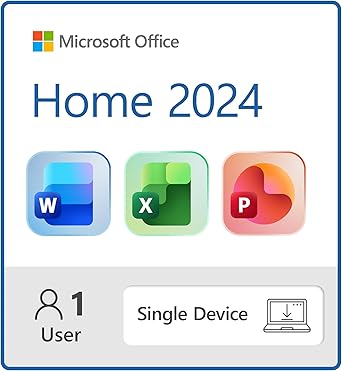
  • Microsoft Office Home 2024 | Classic Office Apps: Word, Excel, PowerPoint | One-Time Purchase for a single Windows laptop or Mac | Instant Download
  • Get More From Your PCMicrosoft
The video showcases the product in use.The video guides you through product setup.The video compares multiple products.The video shows the product being unpacked.
Video Player is loading.
Current Time 
Duration 
Loaded: 0%
Stream Type LIVE
Remaining Time 
 
1x

Microsoft Office Home 2024 | Classic Office Apps: Word, Excel, PowerPoint | One-Time Purchase for a single Windows laptop or Mac | Instant Download

Platform : Windows 10, Mac OS X, Windows 11
4.1 out of 5 stars (1,839)
Amazon's Choice highlights highly rated, well-priced products available to ship immediately.
Amazon's Choice

$179.99
You're invited to apply for Amazon Visa. Get a $50 Amazon Gift Card instantly upon approval. Find out how
After purchase, this item with redemption instructions will be available on Your Games and Software Library and email. The number of computers eligible for installation may vary.
By placing your order, you're purchasing digital currency or a license to a digital product, and you agree to our Games and Software Terms of Use and any Developer or Publisher Terms of Use that apply.
This product is non-returnable and non-refundable.
Note: Currently, this item is available only to customers located in the United States.
Brief content visible, double tap to read full content.
Full content visible, double tap to read brief content.
Edition: Microsoft Office Home 2024 (1 User)
Subscription Term Name: One-Time Purchase
Platform For Display: Digital Download (PC/MAC)
{"desktop_buybox_group_1":[{"displayPrice":"$179.99","priceAmount":179.99,"currencySymbol":"$","integerValue":"179","decimalSeparator":".","fractionalValue":"99","symbolPosition":"left","hasSpace":false,"showFractionalPartIfEmpty":true,"offerListingId":"Aac6HwJtVuiZMDigJYy5iTBgLubCyQKmC7MK5rYUOFkU1ZRvN9VSgvCC9GfOIPnCpfy%2Fe2FcWFnMrFvPRCff1EhyBd8dOmfEeOKlyteM3QtJBfMgXf1gf9HAUq1VPRh1JpnmxFX6%2FWOs6PHLdO1NBRK2QAuR%2B9mS%2Fp5I28AMQDivPO%2FR92nsow%3D%3D","locale":"en-US","buyingOptionType":"NEW","aapiBuyingOptionIndex":0}]}

Purchase options and add-ons

  • Classic Office Apps | Includes classic desktop versions of Word, Excel, PowerPoint, and OneNote for creating documents, spreadsheets, and presentations with ease.
  • Install on a Single Device | Install classic desktop Office Apps for use on a single Windows laptop, Windows desktop, MacBook, or iMac.
  • Ideal for One Person | With a one-time purchase of Microsoft Office 2024, you can create, organize, and get things done.
  • Consider Upgrading to Microsoft 365 | Get premium benefits with a Microsoft 365 subscription, including ongoing updates, advanced security, and access to premium versions of Word, Excel, PowerPoint, Outlook, and more, plus 1TB cloud storage per person and multi-device support for Windows, Mac, iPhone, iPad, and Android.

Product details

  • Item model number ‏ : ‎ EP2-06802
  • Date First Available ‏ : ‎ October 1, 2024
  • Manufacturer ‏ : ‎ Microsoft
  • ASIN ‏ : ‎ B0DGVQMGBB
  • Best Sellers Rank: #4 in Software (See Top 100 in Software)
  • Customer Reviews:
    4.1 out of 5 stars (1,839)

Product Description

Microsoft Office Home 2024 delivers the essential tools you need to create, organize, and accomplish tasks at home or school. This one-time purchase includes classic desktop versions of Word, Excel, PowerPoint, and OneNote, designed for installation on a single Windows laptop, desktop or Mac device. Whether you’re writing essays, managing budgets, or preparing presentations, Office Home 2024 helps you stay productive.


From the manufacturer

O2024
O2024

Keep your day running smoothly

Speedy performance, a seamless experience when switching between apps, and enhanced search functionality help you stay on task.

O2024

Enjoy enhanced functionality

Enhance your presentations, documents, and notes with improved app performance, new features, and additional accessibility functions.

O2024

Track household projects or milestones to a personal goal

Create dynamic charts in Excel to understand your data and keep your thoughts organized in OneNote.

Compare Microsoft Office Home 2024

Office Home 2024

Microsoft 365 Personal

Microsoft 365 Family

Office Home & Business

Customer Reviews
4.1 out of 5 stars 1,839
4.2 out of 5 stars 11,435
4.2 out of 5 stars 2,935
Price
$179.99 $99.99 $129.99
Type of purchase
One-time purchase 12-month subscription 12-month subscription One-time purchase
Number of people
For 1 device For 1 person For up to 6 people For 1 device
Use on more than 1 device
1 TB cloud storage
Premium features & updates
Data & device protection
Includes Outlook

Customer reviews

4.1 out of 5 stars
1,839 global ratings

Customers say

Customers find the Office software to be high-quality and straightforward to use, with simple activation and registration processes. The functionality, installation, download, and compatibility receive mixed feedback - while some report it works well and installs easily, others struggle with these aspects. The value for money is also mixed, with some considering it a good value while others say it's not worth the price. The subscription-free model is appreciated, though some mention it still prompts for a 365 subscription.
AI Generated from the text of customer reviews

Select to learn more

61 customers mention quality, 47 positive, 14 negative
Customers praise the software's quality, describing it as the best Office program on Earth, with one customer noting it performs better than Office 365.
This is a great product and was easy to install. About 5 Minutes. No subscriptions, you just own it.Read more
Good product and keeps me out of the cloud and subscription plans. However there is a big bad bug on this sales page so be aware....Read more
...Great Microsoft software.Read more
...We want our money back. Worst product ever . So confusing and terrible. Give us our money back!Read more
40 customers mention usability, 29 positive, 11 negative
Customers find the software straightforward to use, with simple registration and activation processes.
...No real upgrades from the last time I purchased it. Easy to use. Just a little confusing on how to download.Read more
...The interface of each app is intuitive and user-friendly, staying true to the high standard I’ve come to expect from Microsoft....Read more
Am disappointed with this "upgrade." Much less user friendly than the old 2007 version I had been using....Read more
Simple.Read more
142 customers mention functionality, 66 positive, 76 negative
Customers have mixed experiences with the software's functionality, with some reporting it works perfectly while others find it not working at all.
Doesn’t workRead more
...But, works great and fully functional. This Black Friday deal saved me $150!!!Read more
This does not work. It does not down load and the code is also inactive....Read more
It works as expected and is perfect for my needs. I needed the installed suit because I'm often at a cabin in the woods with no internet serviceRead more
132 customers mention installation, 62 positive, 70 negative
Customers have mixed experiences with the software installation, with some finding it easy to set up and complete from purchase to download, while others report being unable to install it at all.
Was unable to install. Need macOS Version 13.0 or later!Read more
It was easy to install and all my prior settings carried over. It is much more economical, in my opinion, than having to pay for a subscription....Read more
Impossible to install… get error messages… Microsoft is trying to force me to NOT CANCEL THE 365 subscription, so they are making it extremely...Read more
Nice. Easy install and was the Apple version backward compatible with a very old Windows Office version.Read more
65 customers mention value for money, 40 positive, 25 negative
Customers have mixed opinions about the software's value for money, with some finding it a good value that saves them from yearly renewal costs, while others consider it not worth the price.
Just what we needed at a great price and FAST deliverryRead more
Unable to download it. It's a waste of money. I'm going to dispute this charge with my credit card company. Amazon customer service is "USELESS!",...Read more
Best price.Read more
...If you plan to use the computer for years, it’s a good buy. I last had it on a 2012 MacBook Pro that I just replaced recently.Read more
48 customers mention download, 27 positive, 21 negative
Customers have mixed experiences with downloading the software, with some finding the process straightforward while others report difficulties and inability to complete the installation.
...I switched and used Discover and the purchase went right through. Easy download and install on my new computer with Win 11 Pro....Read more
First the purchase was kicked back. Second, it was impossible to download. Third, there's a long process to get a refund....Read more
Downloaded quickly, works flawlessly on my new laptop.Read more
Difficult to download. Confusing instructions for a novice user. Had to get technical assistance to download.Read more
23 customers mention compatibility, 7 positive, 16 negative
Customers have mixed experiences with the software's compatibility, with some reporting it doesn't work with their devices.
There is no option for cancellation? it is not working and not compatible with my computer. Please help. Thanks.Read more
Not compatible and Not refundable?Read more
...It recognized my key with no action from me. The programs opened seamlessly. Typically I only replace laptops every 4-5 years....Read more
Be aware that this version is only compatible with OS13 or newer. OS compatibility is not mentioned on the Amazon product description....Read more
15 customers mention subscription-free, 10 positive, 5 negative
Customers have mixed feelings about the software's subscription model, with some appreciating that it's not tied to Microsoft 365 and comes with no annual fees, while others report ongoing prompts to subscribe to Word 365.
...purchased this product just to have a quality word processor with no subscription and no AI. I frankly don’t trust Microsoft....Read more
...I purchased a brand new iMac and it still did not work. It keeps prompting me to subscribe....Read more
...Plus, no more subscription fees.Read more
This is the perfect program for a retiree. Do not need an annual subscription. Highly recommend it to folks that only need a few programs.Read more
Easy install
5 out of 5 stars
Easy install
We followed the steps and was installed easilyon my Dell laptop with Windows 10. It was a little confusing when "one note" popped up, but I just x'd out, went over to my start button which lists everything on my computer, scrolled down & clicked Word & there it was. Very satisfied with this purchase! I did NOT want a yearly subscription & really only wanted Word, but all worked out!
Thank you for your feedback
Sorry, there was an error
Sorry we couldn't load the review

Top reviews from the United States

  • 5 out of 5 stars
    Good buy
    Reviewed in the United States on May 26, 2026
    Brief content visible, double tap to read full content.
    Full content visible, double tap to read brief content.

    Have office on current and past pc’s. Like to keep work local ,I.e. on my computer. Version does not have all the latest features but I really don’t need them.

    2 people found this helpful
    Sending feedback...
    Thank you for your feedback.
    Sending feedback...
    Thanks, we'll investigate in the next few days.
  • 5 out of 5 stars
    Works as expected; follow directions from Amazon's confirmation email to install on your computer
    Reviewed in the United States on December 28, 2025
    Brief content visible, double tap to read full content.
    Full content visible, double tap to read brief content.

    I bought this for a new laptop PC. The HOME version is what I bought because I neither want nor need Outlook and OneNote, which are attached to the HOME AND BUSINESS package. The suite of Excel/Word/PowerPoint work as expected.

    I notice that many comments here express frustration at the difficulty of installing and activating the software. The key (in my experience) is to establish, or sign into, a Microsoft account first before downloading and attempting to install the software. After I bought the software, Amazon sent me an email with the directions below. Follow these and you should have no problem.

    As an aside, if the small installation window in the center of your screen hangs up while indicating that the software is installing, ignore it, go to APPS on your machine, and open up each of Excel, Word, and PPT after they appear there. I did so and then saved a test document for each app on my hard drive to test that I could reopen them. If you are logged into your Microsoft account first before downloading and installing the software you won't need to do anything to reactivate the three applications.

    The email I received from Amazon included the activation code, which I could also have found in the Amazon software library upon purchasing the item. Here's the text from the email explaining what to do. Best wishes for a smooth installation:

    How to activate and install

    A Microsoft account is an e-mail address and password that you use to sign in to Windows and other Microsoft services on devices including your Windows PC, tablet, or phone. With a Microsoft account, you can download apps from the Windows store, back up your files using Microsoft's cloud storage and much more.

    Activation

    First, retrieve your 25-character Product Key. You can find the Product Key in your Amazon purchase history (when logged into your account) and/or under Your Account in the Digital Content and Services page where you will find the Games and Software library after you purchased your product.

    (1) Go to Office.com/setup and sign in with your Microsoft account or create a new account (save your credentials). Enter your product key and follow the instructions.

    Download:

    Once the code has been redeemed it will be associated with the Microsoft account used for the redemption and can be downloaded at any time at the ‘My Microsoft account’ page.

    (2) If you already redeemed this product key, sign in to Microsoft account dashboard with the account used to redeem it and install or reinstall Office

    (3) After successfully signing in (NOTE: to your Microsoft account), on the left-hand side of the page navigate to the “Services & Subscription” tab (NOTE: my screen displayed only "Subscriptions" in the LHS menu)

    (4) You should now be able to access and manage your Microsoft Office products and subscriptions. Select the product you'd like to install, click "Install" and follow any additional prompts to complete the installation.

    67 people found this helpful
    Sending feedback...
    Thank you for your feedback.
    Sending feedback...
    Thanks, we'll investigate in the next few days.
  • 1 out of 5 stars
    How To Get Office Running After Install
    Reviewed in the United States on December 4, 2024
    Brief content visible, double tap to read full content.
    Full content visible, double tap to read brief content.

    I have used Microsoft Office on a Mac for years and love it. However, as others have said, to get Office 2024 working was a nightmare.

    I called tech support yesterday 3 times and was on hold for a total of over 4 hours. I was accidentally disconnected twice after holding for over an hour each time and never spoke to a technical support person.

    I did finally figure out on my own how to get the software up and running and wanted to share.

    As others have said, set up a Microsoft account if you do not have one and sign in before you make your purchase.

    Install went smoothy for me and since others have covered that topic, I will just cover after the install.

    None of the applications worked after the install.

    I will share an example of the fix with Word, but this process will need to be done with Excel, One Note and PowerPoint.

    I opened Word and clicked “Word” in the upper left corner of my Mac.

    From the pull down I selected “About Microsoft Word.”

    On the window that pops up it said “License: Not Activated”

    I then selected “More Info.”

    From that pop up window I selected “Refresh License.”

    This will take you to your Microsoft account to sign in.

    I then got an error code that said “Could Not Refresh License Error Code 44.”

    Thinking well that was a waste of time, I went on to do other things.

    About 30 minutes later I thought I would try again and to my surprise instead of the “About Microsoft Word” window saying “License: Not Activated” it said License: Office Home 2024 and everything was working perfectly.

    Evidentially it takes a few minutes to actually refresh the license.

    Hope this is helpful and saves someone else the frustration and aggravation I experienced over getting Microsoft Office Home 2024 working.

    379 people found this helpful
    Sending feedback...
    Thank you for your feedback.
    Sending feedback...
    Thanks, we'll investigate in the next few days.
  • 5 out of 5 stars
    Follow instructions and it works great
    Reviewed in the United States on June 10, 2026
    Brief content visible, double tap to read full content.
    Full content visible, double tap to read brief content.

    I was hesitant to purchase after reading reviews but gave it a try anyhow. So glad I did. Compared to the cost of an ongoing subscription, this is a real bargain. I made sure I do have a valid Microsoft account and could log into it successfully. Then I made the purchase. From there I followed the instructions precisely. I copied the code, log into office.com, entered the code, then logged into my account. It took about 20 minutes to fully load, but I received a message when it was installed. I then opened one of the apps and accepted the license terms for all 3: word, excel and powerpoint. Now I'm good to go.

    3 people found this helpful
    Sending feedback...
    Thank you for your feedback.
    Sending feedback...
    Thanks, we'll investigate in the next few days.
  • 4 out of 5 stars
    It's fine, a bit overpriced for what you get, but that's the whole idea.
    Reviewed in the United States on May 7, 2026
    Brief content visible, double tap to read full content.
    Full content visible, double tap to read brief content.

    For me Office kind of peaked around 2000/2003 everything after that has been a sidegrade at best. They even removed the autosave to your local machine feature a while back, now it'll only autosave to the cloud, which isn't always what you want. On the plus side keeping alignment when doing numbers or bullet points seems to be improved in more recent Word iterations. You are paying quite a bit for what you're getting, probably because MS is pushing people towards the more lucrative subscription model. I also think that Outlook should've been included as it's a core Office product. At this point, the free alternatives have gotten very close in terms of the ease-of use and compatibility.

    5 people found this helpful
    Sending feedback...
    Thank you for your feedback.
    Sending feedback...
    Thanks, we'll investigate in the next few days.
  • 5 out of 5 stars
    compatible with older versions of Office.
    Reviewed in the United States on June 8, 2026
    Brief content visible, double tap to read full content.
    Full content visible, double tap to read brief content.

    My Office 2010 could no longer be supported in my new Win 11 desktop. Hopefully this will be a good investment and transferrable to the next generation of Windows. Programs work as expected and are compatable with my Office 2010 documents and spreadsheets.

    One person found this helpful
    Sending feedback...
    Thank you for your feedback.
    Sending feedback...
    Thanks, we'll investigate in the next few days.
  • 5 out of 5 stars
    Easy to install, easy to use.
    Reviewed in the United States on June 5, 2026
    Brief content visible, double tap to read full content.
    Full content visible, double tap to read brief content.

    Good, install it quite easily, easy to use.

    One person found this helpful
    Sending feedback...
    Thank you for your feedback.
    Sending feedback...
    Thanks, we'll investigate in the next few days.
  • 5 out of 5 stars
    What I needed
    Reviewed in the United States on June 19, 2026
    Brief content visible, double tap to read full content.
    Full content visible, double tap to read brief content.

    Needed for my new laptop which didn't come with anything except windows 11

    Sending feedback...
    Thank you for your feedback.
    Sending feedback...
    Thanks, we'll investigate in the next few days.