Shop Viral Protein Snacks Now
Enjoy fast, free delivery, exclusive deals, and award-winning movies & TV shows.
Buy New
$59.98
FREE delivery Monday, September 28
Ships from: Amazon.com
Sold by: Amazon.com
FREE delivery Monday, September 28
Or Prime members get FREE delivery Tomorrow, September 24. Join Prime
In Stock
$$59.98 () Includes selected options. Includes initial monthly payment and selected options. Details
Price
Subtotal
$$59.98
Subtotal
Initial payment breakdown
Shipping cost, delivery date, and order total (including tax) shown at checkout.
Shipper / Seller
Amazon.com
Amazon.com
Shipper / Seller
Amazon.com
Returns
FREE 30-day refund/replacement
Quick refund
Usually issued within 24 hours. See exceptions
FREE return
At least one free return option available.
Convenient dropoff
At any of our 50,000 US locations.
See return policy
Support
Product support included
What's Product Support?
In the event your product doesn't work as expected or you need help using it, Amazon offers free product support options such as live phone/chat with an Amazon associate, manufacturer contact information, step-by-step troubleshooting guides, and help videos. By solving product issues, we help the planet by extending the life of products. Availability of support options differ by product and country. Learn more
Payment
Secure transaction
Your transaction is secure
We work hard to protect your security and privacy. Our payment security system encrypts your information during transmission. We don’t share your credit card details with third-party sellers, and we don’t sell your information to others. Learn more
Packaging
Ships in product packaging
black leaf Ships in product packaging

This item has been tested to certify it can ship safely in its original box or bag to avoid unnecessary packaging. Since 2015, we have reduced the weight of outbound packaging per shipment by 41% on average, that’s over 2 million tons of packaging material.

If you still require Amazon packaging for this item, choose "Ship in Amazon packaging" at checkout. Learn more
FREE Returns
Item will come in original packaging.
FREE delivery Monday, September 28
Or Prime members get FREE delivery Tomorrow, September 24. Order within 10 hrs 39 mins. Join Prime
In Stock
$$59.98 () Includes selected options. Includes initial monthly payment and selected options. Details
Price
Subtotal
$$59.98
Subtotal
Initial payment breakdown
Shipping cost, delivery date, and order total (including tax) shown at checkout.
Added to

Sorry, there was a problem.

There was an error retrieving your Wish Lists. Please try again.

Sorry, there was a problem.

List unavailable.
  • 12 VIDEOS
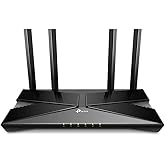
  • TP-Link AX1800 WiFi 6 Router (Archer AX21 V5) | Dual Band Wireless Internet, Gigabit, Easy Mesh, Works with Alexa - A Certified for Humans Device
The video showcases the product in use.The video guides you through product setup.The video compares multiple products.The video shows the product being unpacked.
Video Player is loading.
Current Time 0:00
Duration 1:04
Loaded: 9.38%
Stream Type LIVE
Remaining Time 1:04
 
1x

TP-Link AX1800 WiFi 6 Router (Archer AX21 V5)

Dual Band Wireless Internet, Gigabit, Easy Mesh, Works with Alexa - A Certified for Humans Device
4.4 out of 5 stars (24,710)
Amazon's Choice highlights highly rated, well-priced products available to ship immediately.
Amazon's Choice

Limited time deal NO_OF_HOURS hours NO_OF_MINUTES minutes Limited time deal NO_OF_MINUTES minutes Limited time deal NO_OF_MINUTES minutes NO_OF_SECONDS seconds Limited time deal NO_OF_SECONDS seconds Limited time deal
$59.98 with 33 percent savings
List Price: $89.99
Get $50 off instantly: Pay $9.98 upon approval for Amazon Visa.
FREE Returns
Available at a lower price from other sellers that may not offer free Prime shipping.
Brief content visible, double tap to read full content.
Full content visible, double tap to read brief content.
Size: WiFi 6, AX1800
This item is certified to work with Alexa
WORKS WITH ALEXA
Add voice control by combining with an Alexa device
  • This item
  • +
  • Required
Total Price: $179.97
See Less
{"desktop_buybox_group_1":[{"displayPrice":"$59.98","priceAmount":59.98,"currencySymbol":"$","integerValue":"59","decimalSeparator":".","fractionalValue":"98","symbolPosition":"left","hasSpace":false,"showFractionalPartIfEmpty":true,"offerListingId":"VhvrngigSW7kB%2F64pRoU6Ad87YRttU5GlCdqwZqE6oZ5KdxVUWhnfuTCOuaoXx5cdb44bwXY9fpfSwoXj6pzQ9nTaSjL%2FtumR8zoRW%2FzGEGe9F%2FWKMnB16L2oH2HHyxltOVeBVOmQwgsBGMzgy%2FyXg%3D%3D","locale":"en-US","buyingOptionType":"NEW","aapiBuyingOptionIndex":0}, {"displayPrice":"$52.10","priceAmount":52.10,"currencySymbol":"$","integerValue":"52","decimalSeparator":".","fractionalValue":"10","symbolPosition":"left","hasSpace":false,"showFractionalPartIfEmpty":true,"offerListingId":"VhvrngigSW7kB%2F64pRoU6Ad87YRttU5Gd0Y%2FFsXq1e2Tj73lpr5ME14xX9RhEs0G7xCanRSO91w%2BGELfaKwd5%2FotnuZIpJ%2Fx9BaTwFih0K2RI1DM0Yv5%2BIvTlTvUoNlNNdPhv7lg5BJassbiZk2OFXoZ3GsMZP5nWvo6vk1kMZWhRp03zD2zobkasNvrV86A","locale":"en-US","buyingOptionType":"USED","aapiBuyingOptionIndex":1}]}

Purchase options and add-ons

About this item

  • DUAL-BAND WIFI 6 ROUTER: Wi-Fi 6(802.11ax) technology achieves faster speeds, greater capacity and reduced network congestion compared to the previous gen. All WiFi routers require a separate modem. Dual-Band WiFi routers do not support the 6 GHz band.
  • AX1800: Enjoy smoother and more stable streaming, gaming, downloading with 1.8 Gbps total bandwidth (up to 1200 Mbps on 5 GHz and up to 574 Mbps on 2.4 GHz). Performance varies by conditions, distance to devices, and obstacles such as walls.
  • CONNECT MORE DEVICES: Wi-Fi 6 technology communicates more data to more devices simultaneously using revolutionary OFDMA technology
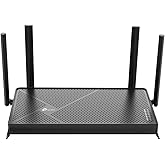
  • EXTENSIVE COVERAGE: Achieve the strong, reliable WiFi coverage with Archer AX1800 as it focuses signal strength to your devices far away using Beamforming technology, 4 high-gain antennas and an advanced front-end module (FEM) chipset
  • OUR CYBERSECURITY COMMITMENT: TP-Link is a signatory of the U.S. Cybersecurity and Infrastructure Security Agency’s (CISA) Secure-by-Design pledge. This device is designed, built, and maintained, with advanced security as a core requirement.
  • VPN SERVER: Archer AX21 Supports both Open VPN Server and PPTP VPN Server
  • WORKS WITH ALL INTERNET SERVICE PROVIDERS: Such as Comcast, Charter, AT&T, Verizon, Xfinity, Spectrum, RCN, Cox, CenturyLink, Frontier, etc.
  • BUY WITH CONFIDENCE: Our highly trained support team is ready to help resolve any setup or WiFi issues at +1 866-225-8139. For best performance: ensure that you are on the latest firmware by checking your Tether app.

From the manufacturer

WiFi 6 Dual Band Router - TP-Link AX1800 Archer AX21
Faster Speeds. More Connected Devices. Powerful Processing.

The Best WiFi Starts Here

The video showcases the product in use.The video guides you through product setup.The video compares multiple products.The video shows the product being unpacked.
Video Player is loading.
Current Time 0:00
Duration 1:04
Loaded: 0.00%
Stream Type LIVE
Remaining Time 1:04
 
1x

Archer AX21 Wi-Fi Router

WiFi 6 upgrades your home to new levels of speed, performance, and capacity. It manages all your data and devices in ways that were never possible before. Explore what the new era of WiFi can do for you.

Experience the Future of Speed and Performance

Super-fast speeds up to 1,201 Mbps on the 5 GHz band and up to 574 Mbps on the 2.4 GHz band and a powerful CPU mean the ultimate buffer-free 4K/HD streaming and gaming experience even with all your smart home, mobile, and other electronic devices connected to your network. [2]

High Speed and Performance
Connect up to 4X More Devices Without Losing Speed

Connect up to 4X More Devices Without Losing Speed

Archer AX21 communicates data to multiple devices simultaneously with revolutionary OFDMA and MU-MIMO, allowing the whole family to connect more without slowing down. [5]

EasyMesh - Extend & Create Whole Home Mesh WiFi

Archer AX21 is EasyMesh-compatible. If you have any dead zones at home, just add another EasyMesh router/range extender to further form your whole home mesh WiFi.

EasyMesh Compatible
Easy Setup with Tether App

Easy Setup with Tether App

Whether you prefer the intuitive Tether App or the powerful web interface, you can set up your Archer AX21 in minutes.

Better Coverage

Better Coverage

Beamforming and four antennas work together to improve your WiFi and focus signal strength towards your devices for stronger, more reliable coverage.

Advanced WPA3 Security

Advanced WPA3 Security

The latest WiFi security to keep your devices and network safe. [4]

Backward Compatible

Backward Compatible

Compatible with all WiFi standards, devices, and Internet Service Providers.


From the brand

Product information

Warranty & Support

Amazon.com Return Policy:You may return any new computer purchased from Amazon.com that is "dead on arrival," arrives in damaged condition, or is still in unopened boxes, for a full refund within 30 days of purchase. Amazon.com reserves the right to test "dead on arrival" returns and impose a customer fee equal to 15 percent of the product sales price if the customer misrepresents the condition of the product. Any returned computer that is damaged through customer misuse, is missing parts, or is in unsellable condition due to customer tampering will result in the customer being charged a higher restocking fee based on the condition of the product. Amazon.com will not accept returns of any desktop or notebook computer more than 30 days after you receive the shipment. New, used, and refurbished products purchased from Marketplace vendors are subject to the returns policy of the individual vendor.
User Manual here [PDF 647kb]

Feedback

Please sign in to provide feedback.

Product Description

TP-Link WiFi 6 Router AX1800 Smart WiFi Router – 802.11ax Router, Gigabit Router, Dual Band, OFDMA, Parental Controls, Long Range Coverage, Works with Alexa(Archer AX21)

*Works with all internet service providers, such as Comcast, Charter, AT&T, Verizon, Xfinity, Spectrum, RCN, Cox, CenturyLink, Frontier, etc.( a modem is required for most internet service providers)

Industry-Leading Support

TP-Link offers 24/7 technical support and 2-year warranty for most home products,1 more year than most networking brands.

Buy with Confidence

Founded in 1996, TP-Link is a global provider of reliable networking devices and accessories, involved in all aspects of everyday life. With a proven heritage of stability, performance and value, TP-Link has curated a portfolio of products that meet the networking needs of all individuals. Now, as the connected lifestyle continues to evolve,the company is expanding today to exceed the demands of tomorrow.

Safety and product resources

What's in the box

  • Power Adapter
  • RJ45 Ethernet Cable
  • Quick Installation Guide
  • Top Brand: TP-Link

    Highly Rated
    100K+ customers rate items from this brand highly
    Trending
    100K+ orders for this brand in past 3 months
    Low Returns
    Customers usually keep items from this brand

    Important information

    Legal Disclaimer

    1. Maximum wireless transmission rates are the physical rates derived from IEEE Standard 802.11 specifications. Range and coverage specifications are based upon test results under normal usage conditions. Actual wireless transmission rate and wireless coverage are not guaranteed and will vary as a result of 1) environmental factors, including building materials, physical objects and obstacles, 2) network conditions, including local interference, volume and density of traffic, product location, network complexity, and network overhead and 3) client limitations, including rated performance, location, connection quality, and client condition. 2. Use of 802.11ax (Wi-Fi 6) and features including OFDMA and Target Wake Time requires clients to also support corresponding features. Actual power reduction by Target Wake Time may vary as a result of network conditions, client limitations, and environmental factors. 3. Use of WPA3 requires clients to also support WPA3. 4. Actual network speed may be limited by the rate of the product's Ethernet WAN or LAN port, the rate supported by the network cable, Internet service provider factors and other environmental conditions.

    Customer reviews

    4.4 out of 5 stars
    24,710 global ratings

    Customers say

    Customers find the router reliable, easy to set up, and appreciate its outstanding speed and strong signal coverage throughout the house. They consider it excellent value for money and praise its performance, with one customer noting it exceeds expectations. The connectivity and durability aspects receive mixed feedback - while some report stable connections, others experience connection issues, and while some find it more stable than ever before, others report it failing after about 14 months.
    AI Generated from the text of customer reviews

    Select to learn more

    2226 customers mention reliability, 1631 positive, 595 negative
    Customers report positive experiences with the router's reliability, noting that it works well without any problems.
    ...It works great in a 2000 sq ft house, and hopefully this review will find you before you have to go through the same frustrating incompetence that I...Read more
    ...The router was reasonably priced, easy to set up and works well. Even more imporant-if you ever have a question they have great customer support!Read more
    Worst router. Had for less than a year and stopped working. Manufacturer unwilling to refund or replace. I would never buy from this brand again.Read more
    Very happy after a few months use. Reliable. Options to prioritize device speed works well and important for low speed 5 MBs service that I have.Read more
    1709 customers mention performance, 1527 positive, 182 negative
    Customers find the router performs excellently, with one customer noting it exceeded their expectations.
    Great Router, great price. Works very well in our 2600 square foot home with multiple devices sharing it. Had it for 6+ months - no problems 🤞.Read more
    This is a great product. I needed no assistance to get it set up. When I could not see the 5g I had Jonair at the chat room help me and he was great....Read more
    This is a good product excellent coverage of home but it lacks open vpn protection which I was looking for, but I needed something to cover the...Read more
    ...Only giving 4 stars because I am sure it is a good router but doesn't work for my situation. Maybe after beta is over I might try again.Read more
    1472 customers mention setup, 1301 positive, 171 negative
    Customers find the router easy to set up and work with.
    Excellent router, very powerful with range. Easy to set up and, paired with a TP-Link range extender compatible for use as a mesh device, I am truly...Read more
    Easy setup if you read the instructions carefully, including the smaller print. I have Spectrum internet 300. I was getting 89 and now 362. Impressed.Read more
    This router was quick and easy to install and set up. I have a 900 sq ft house and I have fast Wi-Fi in every room. I even have Wi-Fi signal outside....Read more
    To start the area coverage is perfect for our house and easy set up I used the same wi-fi name as the previous router so most devices didn't need to...Read more
    994 customers mention value for money, 783 positive, 211 negative
    Customers find the router to be well worth its price and consider it a great purchase.
    ...This router is a great value--much less expensive than the Netgear models I have used, and it seems to work better with fewer problems.Read more
    Good price but at what cost? It constantly resets. It doesn't project signal through my whole apartment.. And my apartment is not even 800sqft....Read more
    Great Router, great price. Works very well in our 2600 square foot home with multiple devices sharing it. Had it for 6+ months - no problems 🤞.Read more
    ...It craps out. Slow upload speed, can't even handle a Teams meeting. DO NOT buy. Avoid like the plague. Back in the box after 3 days.Read more
    890 customers mention speed, 741 positive, 149 negative
    Customers praise the router's speed, describing it as outstanding and fast.
    I was assisted by Christian, he was very patient with me, very clear and fast! He walked me through my internet set up and I was online in no time!...Read more
    ...Unboxing to online took maybe 10 minutes. Speed & coverage meet my needs perfectly. I've had it a month now and so far it's been perfect, no resets....Read more
    Quick and easy to install, since day 1 it's been working perfectly. Conexión is fast, very stable, perfect for streaming plataforms and even gaming.Read more
    Great speed, range and stability. Using it with 2 TP-Link mesh range extenders and it all works flawlessly. Blazingly fast with WiFi6 computer....Read more
    713 customers mention signal strength, 562 positive, 151 negative
    Customers report positive experiences with the router's signal strength, noting strong coverage throughout the house and no dropped connections.
    Strong signal. Very easy setup. User interface is not as detailed as some of their competitors. Can't comment on tech support as it wasn't needed....Read more
    Great router when it worked. Died after 60 days. Great signal, but no data. Won't connect to internet modem after 60 days....Read more
    Good signal, signal goes further than the one that spectrum supplied me with, and it does great with a myriad of devices connected all at one time.Read more
    Poor signal quality . It worked well for few months then signal strength reducedRead more
    1030 customers mention connectivity, 496 positive, 534 negative
    Customers have mixed experiences with the router's connectivity, with some reporting good and reliable wireless connections, while others mention issues with dropped connections and internet disconnections.
    Easy Set Up. Strong signal, but no internet. My old router had internet. Returned it for another. It did the same thing. Bought another router....Read more
    Easy set up, great connectivity, very fast. app is easy to use and it has great features. A+++Read more
    ...show up on my WiFi and it will say I’m connected but then say no internet connection and I’ve tried everything to fix it even hard resetting it and...Read more
    ...It works better than Spectrum's. Fast & stable connection. Works well with the TP-Link RE305 for OneMesh coverage.Read more
    359 customers mention durability, 124 positive, 235 negative
    Customers have mixed experiences with the router's durability, with some finding it more stable than ever before and dependable, while others report it failing within 3 months or dying after 7 months of use.
    ...UPDATE: This router lasted 6 months. I've replaced it with a Netgear. Crossing fingers this one lasts longer!Read more
    Very pleased with this purchase. Fast, stable, easy setup... I can see why the reviews are consistently good. Very pleased with this purchase....Read more
    DO NOT buy this router. Mine died after 6 months and TP Link did NOTHING to help me fix the problem besides just buy a new one....Read more
    was good while it lasted, bought it aug 22, 2025, just stopped working about a week ago, no storms, no nothing, just stopped working.. wasted moneyRead more
    Archer A7/AX21 2.4G speed for iPhone 11 from 300M Verizon Fios
    5 out of 5 stars
    Archer A7/AX21 2.4G speed for iPhone 11 from 300M Verizon Fios
    Archer A7/AX21 2.4G speed for iPhone 11 from 300M Verizon Fios 5* review for successfully resolved my low 2.4G speed problem, excellent support from TP Link and fast 5G speed that exceeds Verizon Fios max speed of 300Mbps. The purpose of this review is to compare the 2.4G and 5G speeds of the TP Link Archer A7(AC1700) WiFi 5 router and AX21(AX1800) WiFi 6 router using an iPhone 11 which supports WiFi 6. The highest speed I can test is 300Mbps limited by my Verizon Internet plan. Measurement results using show that using the WiFi 5 router, the 2.4G speed is 60M/80M (UL/DL) and the 5G speed is 307M/330M, whereas using the WiFi 6 router, the 2.4G speed is 110M/120M and the 5G speed is about same. Newer routers’ real life 5G speed is very high and normally is not a problem, but real life 2.4G speed could be slow. It is not entirely sure which part of the wireless link is limiting the 2.4G speed. Below examines the speed limit of the WiFi standards involved, the router and iPhone 11. The routers are TP Link’s Archer A7(AC1700) and AX21(AX1800). Measured speeds at 2.4G and 5G will also be given. Router (TP Link) Specs and Supported WiFi Standards 1) Archer A7(AC1700) has has 3 antennas is a WiFi 5 router 2.4G : 450Mbps 5G: 1300M bps Supported Standards: AX21(AX1800) : 802.11ac(Wi-Fi 5), 802.11b, 802.11ax(Wi-Fi 6), 802.11n(Wi-Fi 4), 802.11g 802.11n, 802.11ac, 802.11ax are also called Wi-Fi 4, WiFi 5 and WiFi 6 respectively. 2) AX21(AX1800) has 4 antennas is a WiFi 6 router 2.4G: 574M bps 5G: 1200M bps. Supported Standards: AX7 (AC1700) 802.11b, 802.11n, 802.11g, 802.11ac A7 (AX1800) is a low cost ($60) popular (listed as “Amazon Choice”) WiFi 5 router which supports 802.11 ac whereas AX 21 is a low cost ($90) WiFi 6 router which supports 802.11 ax. WiFi 6 (max speed 9.6G) not only has higher speed than WiFi 5 (max speed 3.5G) but also can support more devices using orthogonal frequency division multiple access. The main differences are given in picture 1. (Picture 1 from : https://www.mwrf.com/technologies/systems/article/21849959/whats-the-difference-between-wifi-5-and-wifi-6) Comparing the specs of these two routers, one has a higher 2.4G speed while the other has a higher 5G speed. But in real life, according to my measurements, at 2.4G, the WiFi 6 router has almost twice the speed than the WiFi 5 router. I don’t have a high enough wireless speed plan to test the 5G speed. In my house both routers have the same speed of 310M, limited by the max speed allowed by Verizon Fios 300M. Speeds specified by the WiFi standards are speeds the router manufacturers trying to meet and they are not the limit, but speeds advertised by the router are the speeds that customers want the router to be able to reach. They become upset if they are unable to get the speeds advertised by the router. Routers often do not specified under what link conditions these seemingly advertised high speeds could be realized. For example what is the required bandwidth, the number of antennas (the so called MIMO) and how pure the signal has to be (the signal to noise ratio). Is the bandwidth 20, 40, 80 or 160M? Is the signal to noise ratio has to be greater than 10dB? In real life, link speed depends on how far from the router (the signal strength) and radio interference which falls in band (the signal to noise ratio). The former can be solved by doing the speed test right next to the router, where the transmit signal from the router is at maximum. But for the latter, unless one has a so called Faraday Cage, there is no way to block in-band interference especially at 2.4G, which are used by microwave ovens, Bluetooth and many household devices. Interference is hard to quantify without using a spectrum analyzer and could become an excuse if one calls the router support line complaining low speed. Another limit is the device itself, and in this case iPhone 11. It’s specs are given below. Wi-Fi specifications for iPhone 11 802.11 standard, name, frequency Maximum PHY data rate Maximum channel bandwidth Maximum MCS index Maximum spatial streams ax@5 GHz 1200 Mbps 80 MHz 11 (HE) 2/MIMO ac@5 GHz 866 Mbps 80 MHz 9 (VHT) 2/MIMO a/n@5 GHz 300 Mbps 40 MHz 7 (HT) 2/MIMO ax@2.4 GHz 195 Mbps 20 MHz 9 (HE) 2/MIMO b/g/n@2.4 GHz 144 Mbps 20 MHz 7 (HT) 2/MIMO (From: https://support.apple.com/guide/deployment/iphone-wi-fi-specification-details-dep268652e6c/web) https://mcsindex.com gives more details about how the speed on each band is affected by modulation scheme, number of antennas, bandwidth and WiFi standards used, not only for iPhones but for routers as well. From the iPhone 11 specs, only “n” and “ax” support 2.4GHz if we ignore the older standards “b” and “g”. At 2.4G, The maximum speeds for “n” is 144M whereas for “ax” is 195M. The max bandwidth for both is 20MHz which needs to be set in the router. Setting the bandwidth to 40MHz could lower the speed as the noise power will be doubled. However, at 5GHz the speed for ac (WiFi 5) is 866M with 80M max bandwidth whereas for ax (WiFi 6) is 1200M also with 80M max bandwidth. These bandwidths should also be specified in the router. Setting the bandwidth too high or too low could lower the speed. From the iPhone 11 max speeds, it is clear that the wireless link’s speed is not limited by both the A7 and AX21 routers and the standards, but by the iPhone 11 at 2.4G and by Verizon Fios at 5G. I have Verizon Fios 300M download and upload. Initially, I used an A7, thinking that at 2.4GHz, the router speed is 450M which is higher than iPhone’s 144M(“n”) and 195M(“ax), surely shouldn’t be a problem. But speed test showed that I got only 60M download and 80M upload from the best channel and 20M bandwidth (I tested all the channels and bandwidth combinations). 60M is too slow for me because I have several devices (such as security cameras) using 2.4G. So I called TP Link support line to see what I had done wrong. Most customer supports didn’t know what the problem was the and finally I was connected to a high level support. She said that in real life, I had to multiply the speed by 30-50% and guided me through the various specs of the wireless link. I don’t know where the 30-50% comes from, perhaps it was her empirical experience. If I use the average of 40% and assume that applies to the lower speed of the router and the iPhone, which is 144MHz. 40%x144M is 57M. This was about what I got at 2.4G using the A7 router. But she also said something about WiFi 6 router and got me thinking perhaps a WiFi 6 router could improve the speed. (I must say that I got excellent support from TP Link, I had gotten calls twice from the specialist unsolicited and many followup emails. All trying to help me solve the low speed problem.) I then change the A7(AC1700) to an AX21(AX1800), which does support WiFi 6 “ax”. The main advantage of using AX21 is that it raised the iPhone 11 max speed at 2.4G from 144M to 195M, a gain of 51M. And as a result, in real life, the 2.4G link speed seemed to have increased by about the same amount. Speed test showed that at 2.4G, I now got ~90-110M(download, previously 60M when using A7) and 100-120M(upload) with the channel and bandwidth set on auto. Though the download speed is still less than 195M, the link speed has increased by changing to a router that supports ax and has 4 antennas. Have no idea if a more expensive router will further increase the 2.4G speed. However, at 5GHz, both routers give 307M download and 330M upload, limited by Verizon Fios max speed of 300M. When doing speed test, I shut off all 2.4G emitters. I live in a rural area and I suspect there is little interference. A7 has 3 antennas whereas AX21 has four. Is the speed improvement at 2.4G due to the additional antenna or the support of WiFi 6 or both?
    Thank you for your feedback
    Sorry, there was an error
    Sorry we couldn't load the review

    Top reviews from the United States

    • 5 out of 5 stars
      Phenomenal Range and Rock-Solid Wi-Fi 6 Connection
      Reviewed in the United States on August 9, 2026
      Brief content visible, double tap to read full content.
      Full content visible, double tap to read brief content.

      This Wi-Fi 6 router delivers absolutely exceptional performance and has completely upgraded my home network experience. Setting it up is straightforward, and it immediately provides a noticeable boost in speed and efficiency across all connected devices. The processing power handles heavy traffic effortlessly, making it perfect for streaming, gaming, and managing multiple smart home devices simultaneously without any lag.

      The absolute standout feature of this unit is its phenomenal range and coverage. Even at a very far distance from where the router is placed, the Wi-Fi 6 connection remains incredibly stable, strong, and reliable. There are no frustrating dead zones or sudden drop-offs, just a consistently fast and rock-solid signal throughout the entire area. It is a fantastic, high-performing router that offers premium connectivity and complete peace of mind.

      7 people found this helpful
      Sending feedback...
      Thank you for your feedback.
      Sending feedback...
      Thanks, we'll investigate in the next few days.

      We'll check if this review meets our community guidelinesOpens in a new tab. If it doesn't, we'll remove it.

    • 5 out of 5 stars
      Get the Wifi speeds you pay for!
      Reviewed in the United States on June 14, 2023
      Brief content visible, double tap to read full content.
      Full content visible, double tap to read brief content.

      So it been about 5 years since I bought a router. My old Netgear R6020 worked as expected , No issues other than the fact that I was mislead that it would be faster than 100mb. Recently , I added a lot of devices to my home network. Running speed tests I could get as high as 90mb...Research told me that this Netgear router was in fact a 100mb router... I am paying for a 150mb internet speed...I searched many routers and decided on this one. Setup was fairly easy ...And making a TPLINK account lets me control this router from anywhere. That's a pretty awesome feature to have . So , I used the same Network logins as my previous router , Enabled the smart device , and let the router do its job. Some people had issues with the smart network feature , but I updated the firmware , let it boot up , and all 13 of my devices were instantly connected. They are a mix of wired , 2.4 , and 5g devices. All 5g devices connected properly. Now , the test I was waiting for . The speed test...All speed tests now result in over 160mb ...I am a happy camper . The phone. Computer , video cams , are all faster and the signal strength is great. I am so glad I chose this router , and I think you will be happy with it also !

      UPDATE : After playing with all the settings for a couple weeks , I chose to disable " smart connect " and run the same name and password SSIDs for the 2.4 and 5g . Enabling Smart with multiple devices let's the router control the network...With it off it lets the device control it . Some of my dual frequency devices were dropping to the 2.4 network ( which my security cameras are on ) with smart connect enabled....A flick of the switch and now that the devices choose the network , 5g devices tend to stay on the 5g network all the time. Performance and range have been perfect so far , any other issues and I will update !

      And as Promised , here's my update : After 1 year of using this router with 13 devices connected 24/7 ,I can say this router is a beast ! No issues , great string signal everywhere in my house and yard ....But it , and you won't be disappointed..The APP is fun to play with when you are not home , and is very easy to use. I have stuck with the smartsetting off , and let my device pick the network...My 5g devices stay on 5g then , and my 2.4 network has less traffic this way ....

      Update : It's been a year since I bought this router and not once has it failed me ...It's a workhouse, and I have 15 devices using it ...You will not be unhappy with this inexpensive long range dual band router !

      105 people found this helpful
      Sending feedback...
      Thank you for your feedback.
      Sending feedback...
      Thanks, we'll investigate in the next few days.

      We'll check if this review meets our community guidelinesOpens in a new tab. If it doesn't, we'll remove it.

    • 5 out of 5 stars
      A Spectrum Internet Customer's Point-Of-View
      Reviewed in the United States on October 23, 2023
      Brief content visible, double tap to read full content.
      Full content visible, double tap to read brief content.

      As A Spectrum Internet Customer

      I had a Spectrum Advanced WiFi router that does 2G and 5G on the same WiFi network. There is not a way to split the networks in two. If you have a cell phone that is compatible with device steering and you use to connect your 2G devices to, you can call or chat with their Internet Repair support team to set up a feature on your cell phone that may allow the 2G devices to connect but it can be a hit or a miss and it's too much of a hassle to keep calling/chatting to set this up with as the feature is enabled for only sixty minutes. If the 2G device is connected before the hour is over, it will remain connected but if it's not, you'll need to reach back out to try again and you'll also need to reach back out for other new 2G devices only that don't automatically connect to the 2G network.

      This is a major flaw for an "Advanced" WiFi router. Customers paying a monthly $5 fee to lease their routers should be able to either split the networks in two or leave them as a single network for band steering. Outside of this, the Spectrum routers are fine. However, it's just better to get your own router.

      It would be great if they offered more advanced routers with more features such as VPN's, hiding network SSID, splitting the 2G and 5G networks, guest network and more. I'd pay $5 more a month on top of the already $5 charge for this. This way customers can select which router they need for their home and still get customer support for it.

      As A New Customer For Echo Dot's

      This is the reason why I purchased my own router. I purchased four Echo Dot's, 5th generation, '22 release. All of them connected to the Spectrum WiFi router without issue and individually they operated great. However, the Echo Dot's have a "multi-room audio" feature where you can play music all throughout your home. This was my entire reason for getting these in the first place. This feature was a hit or miss. Sometimes it would work but most of the time only one or two would work and trying to get them all re-paired so I could say, "Alexa, play Discover Weekly from Spotify everywhere," was a huge inconvenience and took too much time.

      After going online and reviewing forums such as Quora and Reddit, I could see what the issue was. The Spectrum WiFi router would switch them between 2G and 5G based off of interference and signal strength throughout the day and if even just one Echo Dot was on a different network than the others, it would throw off the multi-room audio so that it wouldn't work. So the hunt for a dual band router began.

      TP-Link AX1800 WiFi 6 Router (Archer AX21) Review

      The TP-Link AX1800 Router has been amazing so far. It arrived on the same day that I ordered (Thank you Amazon and of course, most of all, the delivery drivers). When it first came in, the first thing I noticed was how ridiculously light it was which kind of made me nervous about the purchase. The router itself came very nicely packaged, nothing was damaged.

      I followed the instructions to the letter but the router was not showing any lights on there after plugging it in once the Internet modem came back online. I re-read the steps again and re-checked the power connections and tried unplugging from both ends but not luck. I honestly thought I got a dud. I looked on the back of the router and saw a button and pressed it in; all the lights began to show and I could begin the setup process.

      I use an iPhone and when I pulled up the TP-Link App to set up the router I couldn't help but notice its low star rating so I opted not to download the app and instead login using the IP address (the instructions provide you with this information and how-to as well). This is my first time ever logging into a WiFi router without the use of a mobile app and I have to say, it is significantly better and heavily preferred. I was able to turn off TP-Link Smart Connect so that I could have two separate SSID's for the 2G and 5G network. I could also see there was a whole new host of features that I did not have prior such as hiding your WiFi networks from neighbors and having a guest network.

      I also did a speed test and they all came back higher than normal and my computer noticeably moves faster when browsing the Internet and streaming video despite being roughly around the same speeds (before it was around 310mbps download/9mbps upload; now it is at around 360mbps/13mbps upload). Maybe the 50mbps DL and 4mbps UL makes a huge difference. I'm not entirely sure. I believe the difference really comes from the router provider a more stable/stronger connection than the Spectrum router. The signals itself are just healthier now.

      I also like that the TP-Link router has antennas, four of them to be exact, that you can see. The Spectrum routers don't have these and if they do, they're within the router itself. I believe routers with antennas that you can visibly see operate better and send stronger signals.

      Did This Resolve My Issue With The Echo Dot's?

      It absolutely did. I re-connected all four Echo Dot's to the 2G network, which was kind of a pain as well to do (but well worth the time and effort; it would've been significantly easier to do if I originally connected them to a dual band router in the first place) and ever since then I have had no issues with multi-room audio. Anytime I want to play music from all four Echo Dot's at the same time, they all play without issue. Which is great because I plan on purchasing more for a more surround system environment.

      Final Notes

      If you need a dual band WiFi router that is able to split the networks in two so that you can sign into them separately, this is it. And honestly, if you have a Spectrum router, this is a major upgrade for a fraction of the cost. Just make sure you keep it clean of dust, and keep it in a well-ventilated and cool area of the home and this will easily last you 2+ years. It saves you money and it works better. It's honestly a no-brainer.

      There is also a common misconception with spotty/slow Internet speeds. The majority of signal issues do not come from cable lines (confirm with your ISP provider first though that the signal levels look healthy coming into and from your Internet modem) but come from the equipment itself (modem and/or router) or from the devices you are using (assuming it is only occurring on one or two devices). Which is why upgrading your WiFi router and/or Internet modem can resolve the issues.

      I honestly don't have any issues with the Spectrum Internet modems. I think they're fine. They all come pre-built, meaning, you can't change any settings on them. Not a deal breaker for me. However, honestly, if I didn't have a Landline service with them, I would've purchased my own modem as well and long-term wise I will definitely consider it. The Spectrum Internet equipment are fine for the majority of homes. However, there is no one size fits all and if you're having issues with your equipment whether due to the lack of features available or signal issues (and confirmed with their Internet Repair team that there are no signal issues coming from the lines), this TP-Link router is an exceptional purchase.

      560 people found this helpful
      Sending feedback...
      Thank you for your feedback.
      Sending feedback...
      Thanks, we'll investigate in the next few days.

      We'll check if this review meets our community guidelinesOpens in a new tab. If it doesn't, we'll remove it.

    • 4 out of 5 stars
      Great router to replace the Spectrum routers which don't operate with IPhone 11's
      Reviewed in the United States on June 22, 2026
      Brief content visible, double tap to read full content.
      Full content visible, double tap to read brief content.

      First thing you should know is that IPhone 11s don't work with Spectrum's routers. I purchased the TP-Link AX 1800 only after Spectrum sent out repairmen four separate times. Each guy had his own theory about why my cell kept having calls dropped, if the phone rang at all. The first guy said that the squirrels ate into the wiring outside; the next guy told me that the power coming off the pole was not powerful enough; the next guy told me that the power was meant to be low and went under the house, and said that he'd found the signal was split, but that he fixed it. The next guy replaced the modem. I went into the office and was told to get a landline, and that it would cost only $25 a month, and that I could cancel within the first 30 days and pay nothing. When I got my next bill, it was $250, and when I cancelled, they couldn't figure out how to credit back the money. Completely untrained idiots. Anyway, long story short, if you are unfortunate enough to have Spectrum providing your internet service, go to Amazon and purchase this router. It works great in a 2000 sq ft house, and hopefully this review will find you before you have to go through the same frustrating incompetence that I experienced with Spectrum!

      5 people found this helpful
      Sending feedback...
      Thank you for your feedback.
      Sending feedback...
      Thanks, we'll investigate in the next few days.

      We'll check if this review meets our community guidelinesOpens in a new tab. If it doesn't, we'll remove it.

    • 5 out of 5 stars
      Easy set up! TP-Link AX1800 WiFi 6 Router
      Reviewed in the United States on July 21, 2026
      Brief content visible, double tap to read full content.
      Full content visible, double tap to read brief content.

      I was genuinely impressed by how simple this router was to set up. The TP-Link AX1800 connected in just a few minutes and delivered a strong Wi-Fi signal. Streaming, web browsing, and use of multiple devices simultaneously were smooth and interruption-free.

      The Wi-Fi 6’s modern, sleek design is a nice bonus. For the price, this router delivers excellent value and dependable performance. I would definitely recommend it to anyone looking for an affordable upgrade to their home Wi-Fi.

      4 people found this helpful
      Sending feedback...
      Thank you for your feedback.
      Sending feedback...
      Thanks, we'll investigate in the next few days.

      We'll check if this review meets our community guidelinesOpens in a new tab. If it doesn't, we'll remove it.

    • 5 out of 5 stars
      Great router at a great price!
      Reviewed in the United States on August 1, 2026
      Brief content visible, double tap to read full content.
      Full content visible, double tap to read brief content.

      Fantastic router! I received the Archer BE230 / BE3600 router and it's working very well! It was fairly easy to setup, but I'm experienced with setting up routers, so it was easy for ME. :) I love the quad-core processor and since I re-entered my existing network's SSIDs and passwords, all of my wireless devices got connected without any issues at all. I'm very happy with this router, especially at this price!

      3 people found this helpful
      Sending feedback...
      Thank you for your feedback.
      Sending feedback...
      Thanks, we'll investigate in the next few days.

      We'll check if this review meets our community guidelinesOpens in a new tab. If it doesn't, we'll remove it.

    • 5 out of 5 stars
      Easy setup and stable connectio
      Reviewed in the United States on August 22, 2026
      Brief content visible, double tap to read full content.
      Full content visible, double tap to read brief content.

      Easy to set up and works well. The Wi-Fi connection is stable and the speed is good for everyday use. The TP-Link app also makes the setup and management pretty straightforward. Overall, a solid router for the price.

      Sending feedback...
      Thank you for your feedback.
      Sending feedback...
      Thanks, we'll investigate in the next few days.

      We'll check if this review meets our community guidelinesOpens in a new tab. If it doesn't, we'll remove it.

    • 3 out of 5 stars
      VPN’s and questions about security and privacy
      Reviewed in the United States on September 22, 2022
      Brief content visible, double tap to read full content.
      Full content visible, double tap to read brief content.

      If I were rating this router on its most basic functions, then I would give it five stars: (1) It gave me strong and fast Wifi in most rooms. (It is somewhat weak in my most distant room, but the 2017 TP-Link router I used previously did not even reach that room.) The Ethernet is also good. (2) It took me just five minutes to set up. (3) The website and app are easy enough for basic router functions.

      Nevertheless I am disappointed in this router, the company, and their tech assistance on questions of security and privacy. One of my motivations for upgrading to this router was to be security-conscious. (I don‘t know too much about routers, but I know that the first piece of conventional wisdom is to always replace routers that are no longer supported by regular firmware updates, and this was true for the 2017 TP-Link that I had had—with their last firmware update in 2017!)

      As part of my security-consciousness, I was also on the market for a new (VPN-compatible) router in order to add a VPN (NordVPN) to my router. I now feel misled by this TP-Link product because both their website and this Amazon page suggest that it is possible to add a VPN to the router itself (as a Free Agent or whatever it‘s called—as opposed to merely using a VPN for individual devices like a laptop). It turns out that TP-Link decided to remove the option of adding a VPN for this model of router, and it didn‘t bother to make this change apparent. At least as of last week, TP-Link still posts instructions about how to add a VPN, but these instructions refer to an interface that does not exist on this new model.. The TP-Link tech personnel I was in contact with were very emphatic and clear that there is no way now to add a VPN to the router. (I do not have the knowledge to know for sure there isn’t some technique or work-around, but they sounded convincing enough, and there is no longer a place in the firmware interface to add a server.)

      If the company had been transparent up-front that this is not VPN-compatible, that might be a different matter. For sure, I would not have chosen to buy this router. And I would not waste time knocking them in this review.

      But I also wonder about the company‘s possible motives for deciding to change from a practice of permitting a VPN to disallowing them. Perhaps there is some advantage for a router company to be anti-VPN that I am not knowledgeable enough to guess? Myself, I can‘t help worrying about the fact that this company is based in an authoritarian country that goes very far to make the internet un-free (including making VPN‘s illegal for its citizens). I would never assume all Chinese companies or individuals are in sync their government, but this no-VPN policy actually looks exactly in sync!

      I take it that a router like this has access to all our traffic.. I guess this means we are placing a fair amount of trust into the router company, and now this particular company has chosen to make it harder to keep our traffic private by preventing a VPN? I don‘t know enough to know if this worry is reasonable or not. (I find it weird that I could not find any online information or debate about such questions.) My own activities are too boring to be of specific interest to a bad actor, but I wonder if there could be more general risks to consumers in the future? Should the political/digital system in the home country of one‘s router company be a factor in whether to trust the router? I am clueless. But I can‘t help feeling a little uneasy about the fact that this company that just prevented me from putting a VPN on my new router is a company based in a country that does not want its citizens to have digital privacy. ):

      184 people found this helpful
      Sending feedback...
      Thank you for your feedback.
      Sending feedback...
      Thanks, we'll investigate in the next few days.

      We'll check if this review meets our community guidelinesOpens in a new tab. If it doesn't, we'll remove it.

    Product Summary: TP-Link AX1800 WiFi 6 Router (Archer AX21 V5) | Dual Band Wireless Internet, Gigabit, Easy Mesh, Works with Alexa - A Certified for Humans Device

    From TP-Link

    4.4 out of 5 stars, 24,710 ratings

    Customer reviews

    10K+ bought in past month

    Price

    One-time purchase: $59.98 33% Savings

    List Price: $89.99

    Deal ends:

    Purchasing options

    Other sellers

    Other sellers

    About this Item

    • DUAL-BAND WIFI 6 ROUTER: Wi-Fi 6(802.11ax) technology achieves faster speeds, greater capacity and reduced network congestion compared to the previous gen. All WiFi routers require a separate modem. Dual-Band WiFi routers do not support the 6 GHz band.
    • AX1800: Enjoy smoother and more stable streaming, gaming, downloading with 1.8 Gbps total bandwidth (up to 1200 Mbps on 5 GHz and up to 574 Mbps on 2.4 GHz). Performance varies by conditions, distance to devices, and obstacles such as walls.
    • CONNECT MORE DEVICES: Wi-Fi 6 technology communicates more data to more devices simultaneously using revolutionary OFDMA technology
    • EXTENSIVE COVERAGE: Achieve the strong, reliable WiFi coverage with Archer AX1800 as it focuses signal strength to your devices far away using Beamforming technology, 4 high-gain antennas and an advanced front-end module (FEM) chipset
    • OUR CYBERSECURITY COMMITMENT: TP-Link is a signatory of the U.S. Cybersecurity and Infrastructure Security Agency’s (CISA) Secure-by-Design pledge. This device is designed, built, and maintained, with advanced security as a core requirement.
    • VPN SERVER: Archer AX21 Supports both Open VPN Server and PPTP VPN Server
    • WORKS WITH ALL INTERNET SERVICE PROVIDERS: Such as Comcast, Charter, AT&T, Verizon, Xfinity, Spectrum, RCN, Cox, CenturyLink, Frontier, etc.
    • BUY WITH CONFIDENCE: Our highly trained support team is ready to help resolve any setup or WiFi issues at +1 866-225-8139. For best performance: ensure that you are on the latest firmware by checking your Tether app.

    Product Description

    TP-Link WiFi 6 Router AX1800 Smart WiFi Router – 802.11ax Router, Gigabit Router, Dual Band, OFDMA, Parental Controls, Long Range Coverage, Works with Alexa(Archer AX21)

    *Works with all internet service providers, such as Comcast, Charter, AT&T, Verizon, Xfinity, Spectrum, RCN, Cox, CenturyLink, Frontier, etc.( a modem is required for most internet service providers)

    Industry-Leading Support

    TP-Link offers 24/7 technical support and 2-year warranty for most home products,1 more year than most networking brands.

    Buy with Confidence

    Founded in 1996, TP-Link is a global provider of reliable networking devices and accessories, involved in all aspects of everyday life. With a proven heritage of stability, performance and value, TP-Link has curated a portfolio of products that meet the networking needs of all individuals. Now, as the connected lifestyle continues to evolve,the company is expanding today to exceed the demands of tomorrow.

    Options Available

    Size

    • WiFi 6, AX1800
    • AX3000
    • AX5400
    Browse all available options

    Important Information

    Legal Disclaimer

    1. Maximum wireless transmission rates are the physical rates derived from IEEE Standard 802.11 specifications. Range and coverage specifications are based upon test results under normal usage conditions. Actual wireless transmission rate and wireless coverage are not guaranteed and will vary as a result of 1) environmental factors, including building materials, physical objects and obstacles, 2) network conditions, including local interference, volume and density of traffic, product location, network complexity, and network overhead and 3) client limitations, including rated performance, location, connection quality, and client condition. 2. Use of 802.11ax (Wi-Fi 6) and features including OFDMA and Target Wake Time requires clients to also support corresponding features. Actual power reduction by Target Wake Time may vary as a result of network conditions, client limitations, and environmental factors. 3. Use of WPA3 requires clients to also support WPA3. 4. Actual network speed may be limited by the rate of the product's Ethernet WAN or LAN port, the rate supported by the network cable, Internet service provider factors and other environmental conditions.

    Feedback

    Did you find this product summary feature useful?

    Thank you for your feedback
    Thank you for your feedback. You selected "Yes, it is useful"
    Thank you for your feedback. You selected "No, it is not useful"
    Product summary presents key information. Close to see all product details.