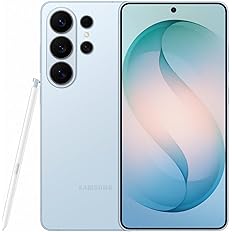
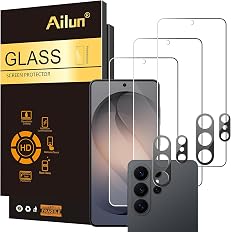
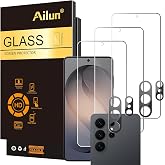
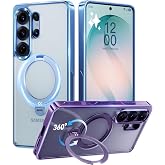
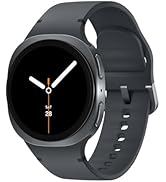
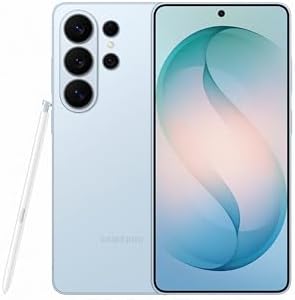
Upgrade your gaming set-up
Discover trending gaming accessories 
show now

Add to your order

  • Coverage for accidental damage including drops, spills, and broken parts, as well as breakdowns (plans vary)
  • 24/7 support when you need it
  • Quick, easy, and frustration-free claims
Cover this product:
2-Year Samsung Care+ Device Protection $198.99
Samsung Care+ Device Protection Monthly $9.99/month
Cover all of your eligible devices:
Complete Protect: One plan covers all eligible past and future purchases (Best Value) $16.99/month

Add to your order

  • Coverage for accidental damage including drops, spills, and broken parts, as well as breakdowns (plans vary)
  • 24/7 support when you need it
  • Quick, easy, and frustration-free claims
Cover this product:

Product Protection by Amazon.com Services LLC

  • Unlimited Repairs: Breathe easy with unlimited repairs including batteries and same day $29 cracked screen repairs at 700+ Samsung authorized locations nationwide.
  • Next Business Day Replacements: Don’t worry. We’ll replace your device as soon as the next business day and help set it up.
  • 24/7 Expert Support: Get immediate answers from a Samsung Care+ expert 24/7 via phone or online for device setup, content transfers, and connecting with other devices.
  • Samsung Genuine Parts and Certified Technicians: Rest assured your device will be repaired by a Samsung Certified Technician using Samsung Genuine Parts.

Product Protection by Amazon.com Services LLC

  • Unlimited Repairs: Breathe easy with unlimited repairs including batteries, same day $29 cracked screen and back glass repairs at 700+ Samsung authorized locations
  • Next Business Day Replacements: Don’t worry. We’ll replace your device as soon as the next business day and help set it up.
  • 24/7 Expert Support: Get immediate answers from a Samsung Care+ expert 24/7 via phone or online for device setup, content transfers, and connecting with other devices.
  • Samsung Genuine Parts and Certified Technicians: Rest assured your device will be repaired by a Samsung Certified Technician using Samsung Genuine Parts.
  • TERMS & CONDITIONS - Terms & Conditions can be downloaded via Amazon > Your Account > Memberships & Subscriptions > Access Product.

Product Protection by Asurion, LLC

  • BEST VALUE: Protect all your eligible Amazon purchases including: tech, tools, appliances, furniture and more. All for one low monthly price.
  • PAST AND FUTURE PROTECTION: Covers malfunctions and failures, plus drops or spills for eligible portable items. Protection begins immediately for eligible purchases from the past 90 days, plus all eligible future purchases (products used commercially are excluded).
  • TRUSTED CYBERSECURITY: Digital security with scam detection for emails and texts.
  • EASY CLAIMS: File in minutes at www.asurion.com/amazon for fast repair or reimbursement - up to the purchase price.
  • NO HIDDEN FEES. CANCEL ANYTIME: Up to $5,000 in total claims per 12-month period. Your plan renews monthly until canceled (coupons applied at checkout don’t renew monthly).

Product Protection by Amazon.com Services LLC

Please ensure you are not covered by existing insurance
  • Unlimited Repairs: Breathe easy with unlimited repairs including batteries and same day $29 cracked screen repairs at 700+ Samsung authorized locations nationwide.
  • Next Business Day Replacements: Don’t worry. We’ll replace your device as soon as the next business day and help set it up.
  • 24/7 Expert Support: Get immediate answers from a Samsung Care+ expert 24/7 via phone or online for device setup, content transfers, and connecting with other devices.
  • Samsung Genuine Parts and Certified Technicians: Rest assured your device will be repaired by a Samsung Certified Technician using Samsung Genuine Parts.
Cover this product:
2-Year Samsung Care+ Device Protection
$198.99
Samsung Care+ Device Protection Monthly
$9.99/month
Complete Protect: One plan covers all eligible past and future purchases (Best Value)
$16.99/month
Enjoy fast, free delivery, exclusive deals, and award-winning movies & TV shows.
$1,099.99
FREE delivery Wednesday, September 30
Or Prime members get FREE delivery Sunday, September 27. Order within 8 hrs 47 mins. Join Prime
In Stock
$$1,099.99 () Includes selected options. Includes initial monthly payment and selected options. Details
Price
Subtotal
$$1,099.99
Subtotal
Initial payment breakdown
Shipping cost, delivery date, and order total (including tax) shown at checkout.
Shipper / Seller
Amazon.com
Amazon.com
Shipper / Seller
Amazon.com
Returns
FREE 30-day refund/replacement
Quick refund
Usually issued within 24 hours. See exceptions
FREE return
At least one free return option available.
Convenient dropoff
At any of our 50,000 US locations.
See return policy
Support
Product support included
What's Product Support?
In the event your product doesn't work as expected or you need help using it, Amazon offers free product support options such as live phone/chat with an Amazon associate, manufacturer contact information, step-by-step troubleshooting guides, and help videos. By solving product issues, we help the planet by extending the life of products. Availability of support options differ by product and country. Learn more
Payment
Secure transaction
Your transaction is secure
We work hard to protect your security and privacy. Our payment security system encrypts your information during transmission. We don’t share your credit card details with third-party sellers, and we don’t sell your information to others. Learn more
Gift options
Available at checkout
Available at checkout This item is a gift. Change
At checkout, you can add a custom message, a gift receipt for easy returns and have the item gift-wrapped
Include
Add a protection plan:
Sorry, your monthly warranty plan was removed because these plans are currently only available for single-item orders.
Add to your order

Samsung Care+ Device Protection 2 YR | Phone Tier 3 | 2-Year Samsung Care+ Device Protection | Phone

from Amazon.com Services LLC
$198.99
  • Unlimited Repairs: Breathe easy with unlimited repairs including batteries and same day $29 cracked screen repairs at 700+ Samsung authorized locations nationwide.
  • Next Business Day Replacements: Don’t worry. We’ll replace your device as soon as the next business day and help set it up.
  • 24/7 Expert Support: Get immediate answers from a Samsung Care+ expert 24/7 via phone or online for device setup, content transfers, and connecting with other devices.
  • Samsung Genuine Parts and Certified Technicians: Rest assured your device will be repaired by a Samsung Certified Technician using Samsung Genuine Parts.

Samsung Care+ Device Protection Monthly | Phone Tier 3 MRC [Subscription]

from Amazon.com Services LLC
$9.99/month
  • Unlimited Repairs: Breathe easy with unlimited repairs including batteries, same day $29 cracked screen and back glass repairs at 700+ Samsung authorized locations
  • Next Business Day Replacements: Don’t worry. We’ll replace your device as soon as the next business day and help set it up.
  • 24/7 Expert Support: Get immediate answers from a Samsung Care+ expert 24/7 via phone or online for device setup, content transfers, and connecting with other devices.
  • Samsung Genuine Parts and Certified Technicians: Rest assured your device will be repaired by a Samsung Certified Technician using Samsung Genuine Parts.
  • TERMS & CONDITIONS - Terms & Conditions can be downloaded via Amazon > Your Account > Memberships & Subscriptions > Access Product.

Complete Protect: One plan covers eligible past & future Amazon Purchases

from Asurion, LLC
$16.99/month
  • BEST VALUE: Protect all your eligible Amazon purchases including: tech, tools, appliances, furniture and more. All for one low monthly price.
  • PAST AND FUTURE PROTECTION: Covers malfunctions and failures, plus drops or spills for eligible portable items. Protection begins immediately for eligible purchases from the past 90 days, plus all eligible future purchases (products used commercially are excluded).
  • TRUSTED CYBERSECURITY: Digital security with scam detection for emails and texts.
  • EASY CLAIMS: File in minutes at www.asurion.com/amazon for fast repair or reimbursement - up to the purchase price.
  • NO HIDDEN FEES. CANCEL ANYTIME: Up to $5,000 in total claims per 12-month period. Your plan renews monthly until canceled (coupons applied at checkout don’t renew monthly).

Samsung Care+ Device Protection Monthly | Phone Tier 3 MRC [Subscription]

from Amazon.com Services LLC
$9.99/month
  • Unlimited Repairs: Breathe easy with unlimited repairs including batteries, same day $29 cracked screen and back glass repairs at 700+ Samsung authorized locations
  • Next Business Day Replacements: Don’t worry. We’ll replace your device as soon as the next business day and help set it up.
  • 24/7 Expert Support: Get immediate answers from a Samsung Care+ expert 24/7 via phone or online for device setup, content transfers, and connecting with other devices.
  • Samsung Genuine Parts and Certified Technicians: Rest assured your device will be repaired by a Samsung Certified Technician using Samsung Genuine Parts.
  • TERMS & CONDITIONS - Terms & Conditions can be downloaded via Amazon > Your Account > Memberships & Subscriptions > Access Product.

Complete Protect: One plan covers eligible past & future Amazon Purchases

from Asurion, LLC
$16.99/month
  • BEST VALUE: Protect all your eligible Amazon purchases including: tech, tools, appliances, furniture and more. All for one low monthly price.
  • PAST AND FUTURE PROTECTION: Covers malfunctions and failures, plus drops or spills for eligible portable items. Protection begins immediately for eligible purchases from the past 90 days, plus all eligible future purchases (products used commercially are excluded).
  • TRUSTED CYBERSECURITY: Digital security with scam detection for emails and texts.
  • EASY CLAIMS: File in minutes at www.asurion.com/amazon for fast repair or reimbursement - up to the purchase price.
  • NO HIDDEN FEES. CANCEL ANYTIME: Up to $5,000 in total claims per 12-month period. Your plan renews monthly until canceled (coupons applied at checkout don’t renew monthly).

Samsung Care+ Device Protection Monthly | Phone Tier 3 MRC [Subscription]

from Amazon.com Services LLC
$9.99/month
  • Unlimited Repairs: Breathe easy with unlimited repairs including batteries, same day $29 cracked screen and back glass repairs at 700+ Samsung authorized locations
  • Next Business Day Replacements: Don’t worry. We’ll replace your device as soon as the next business day and help set it up.
  • 24/7 Expert Support: Get immediate answers from a Samsung Care+ expert 24/7 via phone or online for device setup, content transfers, and connecting with other devices.
  • Samsung Genuine Parts and Certified Technicians: Rest assured your device will be repaired by a Samsung Certified Technician using Samsung Genuine Parts.
  • TERMS & CONDITIONS - Terms & Conditions can be downloaded via Amazon > Your Account > Memberships & Subscriptions > Access Product.

Complete Protect: One plan covers eligible past & future Amazon Purchases

from Asurion, LLC
$16.99/month
  • BEST VALUE: Protect all your eligible Amazon purchases including: tech, tools, appliances, furniture and more. All for one low monthly price.
  • PAST AND FUTURE PROTECTION: Covers malfunctions and failures, plus drops or spills for eligible portable items. Protection begins immediately for eligible purchases from the past 90 days, plus all eligible future purchases (products used commercially are excluded).
  • TRUSTED CYBERSECURITY: Digital security with scam detection for emails and texts.
  • EASY CLAIMS: File in minutes at www.asurion.com/amazon for fast repair or reimbursement - up to the purchase price.
  • NO HIDDEN FEES. CANCEL ANYTIME: Up to $5,000 in total claims per 12-month period. Your plan renews monthly until canceled (coupons applied at checkout don’t renew monthly).
Added to

Sorry, there was a problem.

There was an error retrieving your Wish Lists. Please try again.

Sorry, there was a problem.

List unavailable.
  • 6 VIDEOS
  • Samsung Galaxy S26 Ultra, Unlocked Android Smartphone, 256GB, Sky Blue | Privacy Display, Galaxy AI, AI Camera, Super Fast Charging 3.0, Durable Battery, 2026, US 1 Year Warranty
The video showcases the product in use.The video guides you through product setup.The video compares multiple products.The video shows the product being unpacked.
Video Player is loading.
Current Time 
Duration 
Loaded: 0%
Stream Type LIVE
Remaining Time 
 
1x

Samsung Galaxy S26 Ultra, Unlocked Android Smartphone, 256GB, Sky Blue

Privacy Display, Galaxy AI, AI Camera, Super Fast Charging 3.0, Durable Battery, 2026, US 1 Year Warranty
4.6 out of 5 stars (2,040)
Amazon's Choice highlights highly rated, well-priced products available to ship immediately.
Amazon's Choice

Sustainability features

This product has sustainability features recognized by trusted certifications.
Energy efficiency
Conserves energy compared to similar products.
As certified by
EPEAT

EPEAT

EPEAT certifies electronic products based on sustainability impacts across their life cycle including requirements for energy efficiency and end-of-life management. An EPEAT registered product can also meet optional more ambitious criteria including reduction of fluorinated greenhouse gases (F-GHGs). Products meeting 50% - 74% optional criteria are 'Silver' and those meeting 75% or more are 'Gold'.

Learn more about this certification

Certification Level

GOLD

$1,099.99
FREE Returns
Brief content visible, double tap to read full content.
Full content visible, double tap to read brief content.
Color: Sky Blue
Size: 256GB
Style: Galaxy S26 Ultra
Pattern Name: Phone Only
{"desktop_buybox_group_1":[{"displayPrice":"$1,099.99","priceAmount":1099.99,"currencySymbol":"$","integerValue":"1,099","decimalSeparator":".","fractionalValue":"99","symbolPosition":"left","hasSpace":false,"showFractionalPartIfEmpty":true,"offerListingId":"6I1vlZ7MHCVKVSiaWFFZEOzn6gRDvrNK5svn7qyq0KwQNjTXdTfGJk2FlM6q3S7KPcX%2FDVtoW1%2FjqXsPzCIW%2FR2d%2BZ23fk3%2BGs2wDS810aAQxqmRlAXOPe078CqRV8%2Fth%2FM%2BDqKh6EFq%2BXDt1UeQpg%3D%3D","locale":"en-US","buyingOptionType":"NEW","aapiBuyingOptionIndex":0}]}

Purchase options and add-ons

Trade-in and save
0
Trade-in and save
{"0":{"price":{"amount":1099.99,"currencyCode":"USD"},"isAvailable":true,"encryptedMerchantId":"ATVPDKIKX0DER","buyingOptionType":"NEW"}}
Save up to $815.00
Trade-in and save
NO_INTENT
Save up to $815.00
{"0":{"price":{"amount":1099.99,"currencyCode":"USD"},"isAvailable":true,"encryptedMerchantId":"ATVPDKIKX0DER","buyingOptionType":"NEW"}}
How trade-in works
Sorry, we're unable to process your trade-in, try again later
Remove
Are you sure you want to remove your trade-in?
{"0":{"price":{"amount":1099.99,"currencyCode":"USD"},"isAvailable":true,"encryptedMerchantId":"ATVPDKIKX0DER","buyingOptionType":"NEW"}}
Remove
Are you sure you want to remove your trade-in?
{"0":{"price":{"amount":1099.99,"currencyCode":"USD"},"isAvailable":true,"encryptedMerchantId":"ATVPDKIKX0DER","buyingOptionType":"NEW"}}
Sorry, we're unable to process trade-in, please try again
{"0":{"price":{"amount":1099.99,"currencyCode":"USD"},"isAvailable":true,"encryptedMerchantId":"ATVPDKIKX0DER","buyingOptionType":"NEW"}}
Sorry, we're unable to process your trade-in, try again later
Reduce quantity to 1 to apply your trade-in

About this item

  • PRIVACY DISPLAY: Automatically hide your screen from those beside you. The built-in privacy display can be preset¹ to turn on when receiving notifications, typing passwords, or using specific apps
  • TYPE IT IN. TRANSFORM IT FAST: Enhance any shot in seconds on your smartphone by using Photo Assist² with Galaxy AI.³ Add objects, restore details, or apply new styles by simply typing or tapping
  • NIGHTS, CAPTURED CLEARLY: From gigs to city lights, record and capture moments after dark with clarity using Nightography so your photos and videos stay crisp and clear on your Samsung Galaxy
  • MAKE IT. EDIT IT. SHARE IT: Turn everyday moments into something personal with creative tools built right into your mobile phone, whether it’s a special contact photo, custom wallpaper, an invitation or more⁴
  • HELP THAT KEEPS UP: Stay in the moment while Now Nudge with Galaxy AI helps you respond faster and stay organized with smart suggestions⁵ that appear exactly when you need them on your phone
  • FIT EVERYONE IN THE SHOT: Group selfies are easier on your Samsung phone with a wider front camera⁶ that captures more of the scene, so no one gets left out of the moment
  • FAST. POWERFUL. AI-READY: Power through your day with AI-accelerated performance from our fastest, smoothest and most powerful Galaxy processor yet, built to keep up with everything you do

Frequently bought together

This item: Samsung Galaxy S26 Ultra, Unlocked Android Smartphone, 256GB, Sky Blue | Privacy Display, Galaxy AI, AI Camera, Super Fast Charging 3.0, Durable Battery, 2026, US 1 Year Warranty
$1,099.00
Get it as soon as Saturday, Oct 3
Sold by CellOne and ships from Amazon Fulfillment.
+
$8.98 ($1.80/count)
Get it as soon as Wednesday, Sep 30
In Stock
Sold by NuliaUS and ships from Amazon Fulfillment.
Total price: $1,117.97
Details
Added to Cart
Some of these items ship sooner than the others.

Sustainability features

This product has sustainability features recognized by trusted certifications.

Energy efficiency

Conserves energy compared to similar products.

As certified by

From the brand

Product Description

Galaxy S26 Ultra automates your life with the power of Galaxy AI.³ Prevent unwanted onlookers with the built-in privacy display. It can be preset to instantly turn on when receiving notifications, typing passwords, or using specific apps.¹ There’s also Photo Assist² which magically edits photos in seconds. Fill in missing elements and naturally blend objects with existing lighting and shadows with ease.

Shooting at night is no longer a challenge. Nightography adjusts in real time to illuminate low light videos and photos. The Wider Selfie Capture feature gets the right group shot in one go. Thanks to the wider⁶ front camera and lens, you don’t need to stretch all the way back. It also means less retakes. If you’re looking to quickly generate playful illustrations and 3D cartoons for custom wallpapers, stickers, and more⁴, the Creative Studio brings your ideas to life.

Making everything possible is our fastest, smoothest and most powerful processor yet. Speeding up daily tasks, Now Nudge with Galaxy AI works behind the scenes to prioritize apps, reminders, and notifications. You’ll have the most relevant information⁵ right when you need it. Further simplifying your life, Samsung Wallet securely stores payment cards⁹, boarding passes¹⁰, and more. Leave your bulky wallet at home.

Helping you keep up with daily demands, Galaxy S26 Ultra is Super-Fast Charging 3.0 ready⁷. You can recharge in a snap to do more. To get the most out of your S26 Ultra, pair with Galaxy Buds4 Pro11 to hear music like never before with Hi-Res Audio.⁸

¹Must be enabled in settings.

²Requires Samsung account login and internet connection. Editing with Photo Assist results in a resized photo up to12MP.

³Galaxy AI basic features provided by Samsung are free. Any Samsung enhanced AI features and all third-party AI features are subject to different terms and may be subject to fees. (Galaxy AI basic features are listed under ""Advanced intelligence"" in Samsung Services Terms and Conditions.)

⁴Requires an internet connection / Samsung account login. Edited images may be resized and will have visible AI watermark. The accuracy and reliability of the generated output is not guaranteed.

⁵For location information, Location permission should be allowed.

⁶As compared to S25 Series.

⁷Requires 60W Super Fast Charger (sold separately). Charging speed depends on battery level and other factors; use only Samsung-approved chargers; do not use any worn or damaged chargers or cables; incompatible charger or cable can cause serious injuries or damage to your device.

⁸Requires initial setup via settings or Samsung Wear app on a compatible Galaxy/Android smartphone; see Samsung.com for compatibility.

⁹Requires a compatible NFC card from a participating bank. Specific requirements and limitations apply to each Samsung Wallet feature. See samsung.com Wallet FAQ for more information.

¹⁰Specific requirements and limitations apply to each Samsung Wallet feature.See samsung.com Wallet FAQ for more information.

¹¹Products sold separately.


From the manufacturer

Galaxy S26 Ultra

Samsung Galaxy S26 Ultra Comparison

Galaxy S26 Ultra

Galaxy S26

Galaxy S26+

Galaxy S25 Ultra

Galaxy Z Fold7

Customer Reviews
4.6 out of 5 stars 2,040
4.5 out of 5 stars 543
4.6 out of 5 stars 304
4.7 out of 5 stars 3,477
4.5 out of 5 stars 788
Screen
6.9" QHD+ Dynamic AMOLED 2x 6.3" FHD+ Dynamic AMOLED 2x 6.7" QHD+ Dynamic AMOLED 2x 6.9" QHD+ Dynamic AMOLED 2X 8.0” QXGA+ Dynamic AMOLED 2X
Rear Camera
200MP Wide AF OIS, 10MP Tele 50MP Wide AF OIS, 10MP Tele 50MP Wide AF OIS, 10MP Tele 200MP Wide, 50MP UW, 10MP Tele 200MP Wide, 12MP Ultrawide
Front Camera
12MP Wide AF 12MP Wide AF 12MP Wide AF 12MP Wide AF 10MP
Battery
5000mAh 4300mAh 4900mAh 5000mAh 4400mAh
Super Fast Charging
60W / 25W (Wireless) 25W / 15W (Wireless) 45W / 20W (Wireless) 45W / 15W (Wireless) 25W / 15W (Wireless)
Storage/Memory
256GB & 512GB | 12GB RAM 256GB & 512GB | 12GB RAM 256GB & 512GB | 12GB RAM 256GB & 512GB | 12GB RAM 256GB & 512GB | 12GB RAM
Processor
Snapdragon 8 Elite Gen 5 Snapdragon 8 Elite Gen 5 Snapdragon 8 Elite Gen 5 Snapdragon 8 Elite for Galaxy Snapdragon 8 Elite for Galaxy
Dimension (HxWxD)
78.1 x 163.6 x 7.9 71.7 x 149.6 x 7.2 75.8 x 158.4 x 7.3 77.6 x 162.8 x 8.2t Folded: 158.4 x 72.8 x 8.9mm
Weight
214g 167g 190g 218g 215g
S Pen Support
✔ ✘ ✘ ✔ ✘

Product information

Warranty & Support

Manufacturer’s warranty can be requested from customer service. Click here to make a request to customer service.

Feedback

Please sign in to provide feedback.

What's in the box

  • Galaxy S26 Ultra
  • USB Cable
  • SIM Tray Ejector
  • Quick Start Guide
  • Stylus
  • Top Brand: Samsung

    Highly Rated
    100K+ customers rate items from this brand highly
    Trending
    100K+ orders for this brand in past 3 months
    Low Returns
    Customers usually keep items from this brand

    Customer reviews

    4.6 out of 5 stars
    2,040 global ratings

    Customers say

    Customers find the phone performs well, with excellent camera quality that takes some of the best photos, and they consider it worth the asking price. Moreover, the device is incredibly responsive, has all the latest features including AI capabilities, and is extremely easy to set up. However, the battery life receives mixed feedback - while some say it can go days without charging, others report it drains quickly. Additionally, the screen quality also gets mixed reviews, with some praising its sharp and clear images while others find it terrible.
    AI Generated from the text of customer reviews

    Select to learn more

    432 customers mention performance, 396 positive, 36 negative
    Customers praise the phone's performance, describing it as a wonderful device with great quality.
    Warning: Great phone, but buy directly from Samsung!The phone itself is awesome, but I strongly advise against purchasing it through Amazon....Read more
    Excelente!!!!Read more
    The S26 Ultra phone is great. Everything works as described. Camera is fantastic. Fast processor. So far no gliches or issues....Read more
    This thing is awesome, never was a big phone fanatic, however using this has made me realize how slow my old phone had gotten....Read more
    102 customers mention camera quality, 84 positive, 18 negative
    Customers praise the phone's camera quality, noting that it takes some of the best photos.
    ...Purchased from Prime Days and got a really good deal on it. Camera is amazing! Unlocked phone so easy to set up on your carrier. New condition. 512gb.Read more
    ...Having a great camera attached to my phone that feels professional quality, and having the raw/ pro mode to play with is really neat....Read more
    Don't care for all of the AI stuff on it, but love the camera.Read more
    ...The camera is amazing, an suitable if you wish to get into filmography or general casual video recording....Read more
    100 customers mention value for money, 70 positive, 30 negative
    Customers find the phone well worth the asking price and consider it a great buy.
    Bought during Prime deal days. Great price. The price actually dropped during Prime deal days after I bought it on the first day....Read more
    This phone is priced lower than my phone carrier asks so it's a great deal. Arrived in it factory sealed packaging....Read more
    ...Privacy display is also meh. It comes unlocked. Definitely not worth the money. Looks ok I guess, better than previous models....Read more
    ...I upgraded from the S24 Ultra, and for me, it was definitely worth it. The display is stunning, and I absolutely love the new Privacy Screen feature....Read more
    53 customers mention speed, 53 positive, 0 negative
    Customers praise the phone's speed, describing it as incredibly responsive and remarkably efficient, with one customer noting that app start-up and switching between apps is particularly fast.
    I am totally pleased with this phone. It's fast , no lag. Worth every penny. I would definitely buy again if I ever need another phone. Great buy.Read more
    Major upgrade from my S21 Ultra! Very fast, beautiful display, excellent battery life, nice advanced features...still exploring!...Read more
    ...Everything works as described. Camera is fantastic. Fast processor. So far no gliches or issues. I am very happy with my purchade....Read more
    ...Either way the phone is quick, responsive and stylish. It is very easy to use and very simple to set up....Read more
    40 customers mention features, 35 positive, 5 negative
    Customers are satisfied with the phone's features, particularly its AI capabilities, with one customer highlighting the caller assist function.
    ...they're lightweight, feature rich and all around impressive, not sure I'm even going back to pixel ( can't believe I just said that ☺️) by hey, I'm...Read more
    Nice phone, expensive. Did payment plan. Nice features 7yr updates. Privacy screen nice. My first time with the pen. 200mp camera.So far I like it....Read more
    This is a really nice phone with all the latest features.Read more
    Best phone with amazing featuresRead more
    36 customers mention ease of use, 34 positive, 2 negative
    Customers find the phone easy to use and set up, with a fantastic user experience.
    I upgraded from an unsupported Galaxy S10 and love the new S26. Easy to setup and while some things have been moved around, it was pretty intuitive...Read more
    ...It seems to be of high quality. It's very easy to use. The sound quality is amazing and the phone speakers are surprisingly loud....Read more
    ...looking for top-tier performance, excellent photography, and a smooth user experience.Read more
    ...the S23 felt impossible, but after one week I can say you can get used to it pretty easily....Read more
    60 customers mention battery life, 40 positive, 20 negative
    Customers have mixed experiences with the phone's battery life, with some finding it amazing while others report poor performance and quick drainage.
    ...Otherwise a great all around phone very fast and great battery life.Read more
    Overpriced, overheats, and battery drains too fast. Sticking with my older model.Read more
    ...If you are a power user like me, you will get good battery life, but OnePlus and other brands could be better. Disadvantages: -...Read more
    This Samsung phone is great, lots of storage, fast processor, long battery life. Everything you want in a phone....Read more
    57 customers mention screen quality, 35 positive, 22 negative
    Customers have mixed opinions about the phone's screen, with some praising its great display and sharp, clear images, while others find it terrible and report poor color quality.
    Major upgrade from my S21 Ultra! Very fast, beautiful display, excellent battery life, nice advanced features...still exploring!...Read more
    ...But the screen is terrible. It's not even as clear as my $190 emulation retro handheld. Even you put on max resolution, you still see them pixels....Read more
    ...The display is stunning, the performance is incredibly fast, and the camera takes some of the best photos I’ve ever captured on a phone....Read more
    The picture quality , the size, quality of calls ....I love love love this phoneRead more
    Wonderful upgrade from the S21 Ultra! Display is good straight-on and up to 30% off-axis.
    5 out of 5 stars
    Wonderful upgrade from the S21 Ultra! Display is good straight-on and up to 30% off-axis.
    SUMMARY: BUY IT! The S26 Ultra is an excellent phone with a solid set of features. My S21 Ultra's OneUI/Android OS updates ended in January. • The S26 Ultra display looks great, better than the S21 Ultra, if viewed straight-on and up to maybe 30% off-axis with the privacy display off. I use my phone like this most of the time and have no need for the "privacy" feature, so a win. Farther off-axis though, or with the privacy display "on", the nicest thing I can say is "it will do the job until the S27 Ultra is released with hopefully Privacy Display V2.0". The display defaults to midway FHD+ resolution for a tiny battery savings, like the S21U did, so bump it up to QHD+ in Settings->Display->Screen Resolution to fully enjoy. • The display's dithered (Frame Rate Control) 8-bit (16.7 million colors) to simulate 10-bit looks OK visually. The S21U used the same, and so likely does iPhone 17. I'm hoping for a true 10-bit display (1.07 billion colors & no visual artifacts) in the S27 or S28 Ultra with a much higher-than-existing 480 Hz PWM display-dimming frequency to reduce eye strain, 3500 nits of max brightness (vs 2600 in the S26U), and at least a 7000 mAh silicon-carbon battery - all 4 things as in current Oppo & Xiaomi phones. :/ • The 25 watt wireless charging works so well that I can see I won't be using a wired charger much. Same 25W rate as my wired S21U charging, but the S26U battery fills faster at 25W for some reason. The wireless charger puck’s magnet ring strongly locks right onto my Otterbox Defender Pro XT case's (Amazon B0GD2KS743) opposite-pole magnet ring. The Samsung 25W wireless charger kit is labeled "Magnet Wireless Charger | 45W Power Adapter", a 25 watt wireless puck AND a 45 watt charger in the same box (EP-P2900TBEGUS, Amazon B0FXHJTGNN). The puck requires the 45W charger (EP-T4511NBEGUS by itself, Amazon B0DQFJKP4B), its info says, even though it puts out just the 25W of charging power. You can unplug the 25W wireless charging puck from the 45W adapter it comes with (USB-C), then use the wired charging cable in the S26U box to get a full 45W charging rate, about 2x as fast (real-world tested) as 25W! 2 charging rates in one box. The 15 watt wireless charging on the S21U was nearly useless with no magnets for coil alignment. • The S26U display shows: “Super fast wireless charging” for 25W from the puck; "Super fast charging" for the S21U's 25W wired adapter; “Super fast charging 2.0” for 45W wired charging; & “Super fast charging 3.0” for a wired connection with the 60W wall charger. I’m finding the Samsung 60W (EP-T6010NBEGUS, Amazon B0GXGMCQYJ) & 45W wired chargers are charging at nearly the same rate if the battery is already mostly full. Seems the 60W rate would only happen for a while if the battery is very low and not too warm, since the charging rate is also thermally limited. The 25W wireless & 45W wired cable S26U charging is really all many people would likely need, unless their battery gets full-cycled (mostly discharged) often, then the 60W would help. The 60W adapter is heavy! Best to use it in a fairly tight-fitting wall socket. • The S26U uses higher 15 Volt and 20 volt charging voltages than some past phones, such that it only needs 3 amps vs 5 amps of current, resulting in requiring less bulky (than 5A) 3A charging cables. 5 amp cables will still work perfectly, passing only 3A, just less flexible. S26U 25W (S21U charger) = 2.77A*9V; 45W = 3A*15V; 60W = 3A*20V. Some older phones used 45W = 5A*9V. Their “45W” wall adapter wouldn’t give 45W S26U charging if they can't produce 15V. The Samsung S26U 3A charging cords have nice rubber strain reliefs at the ends. They can transfer data too at a very reduced USB 2.0 480 Mbps rate with their one half-duplex data wire pair: 3ft 3A = EP-DA705BBEGWW (Amazon B07T99CGDF); 6ft 3A = EP-DX310JBEGU (Amazon B09QQKPPJK). A USB 3.2 rated 5/10/20 Gbps USB-C cable with 4 more full-duplex data wire pairs & an E-Marker chip is needed for the S26U's port's full speed 5 Gbps data transfers [Amazon B0DZP2S6F9 & B0D4PRVVR7]. • The 45 watt USB-C port on the Samsung EP-L5300 (Amazon B089RD7F71) car charger works for the S26U with the Samsung 25W wireless puck (puck w/o adapter EP-P2900BBEGUS [Amazon B0FXHJQJ81]) AND with wired 45W wired charging (tested!). Plus it has a 15W USB-A port for something else. • The S26U's 5000 mAh lithium battery is lasting much longer for a given time period than the same in the S21U, even though small by today's standards, likely thanks to the higher efficiency of the 3nm Snapdragon SoC CPU and Adreno 840 GPU vs 5nm in the S21U. The charging battery-life-extender “stop %” setting in the S26U is adjustable from 80–100%, vs. fixed at 80% or 100% in the S21U. Mine is set at 90% now. I can go to bed with 90% showing on the S26U, then wake up with 81% - and that is with the two cell carriers running (see below). Awesome! • App start-up & switching between apps is much faster and smoother on the S26U than the S21U, given the 2X faster performance SoC CPU. App & OS updates (and phone restarts) go fast! The S26U has UFS V4.0 storage vs. the rumored latest V4.1 (higher efficiency), but no loss since they both transfer data at the same speed. The 2nm Snapdragon 8 Elite Gen 6 Pro SoC expected in the S27 Ultra is slated for UFS V5.0, twice the bandwidth of V4.0, and for LPDDR6 memory which will also used by the new Adreno 850 GPU & its 50% wider memory bus. Will be a beast! The S26U's Adreno 840 GPU is 3x as fast as the S21U's Adreno 660 and has hardware ray tracing, while consuming much less power. • The dual SIM radios in the S26U work well! I'm now running Cricket (AT&T towers) on physical SIM IMEI1 and Spectrum Mobile (Verizon towers) on eSIM IMEI2. The S26U is fully set up for switching the call, messages, and data independently between carriers, sim1 and sim2 in the quick panel. The upper left of the lock screen shows "cricket * Spectrum" for carriers, and the signal strength bar adds a new row of dots underneath to show the signal strength of the other carrier too, plus showing both strength bars when the quick panel is pulled down. If you travel to different parts of town where one carrier’s signal is much weaker, and/or has a “full tower load” signal drop-out, and/or only one carrier has 5G mmWave antennas in an area ("5G+" display), and/or you want to use your data quota on a specific carrier, this is great. Two chances at getting a good connection. I've found that certain carriers (Total Wireless) won't sell a second line eSIM unless they also have the physical SIM on line 1, so they couldn't be used for different dual carriers. Given an IMEI2 number, a carrier will know who the carrier for IMEI1 is. • Better weight/size distribution. Only 1 oz less (9 oz vs 10 oz), with cases, than the S21U, but the S26U literally feels 25% lighter being slightly larger. Kind of a magic trick! • The Wi-Fi 7 works well as does the 6 GHz band. In my TP Link BE 550 Pro router/AP (from Amazon! B0DM6RF34J) I had to change the 6 GHz bandwidth from the default 160 MHz to "mixed 160/320 MHz" (or just 320 MHz) to have that band show as Wi-Fi 7 on the S26U vs Wi-Fi 6E (symbols for both on the display). I've read that iPhones don't even have a 320 MHz bandwidth option on 6 GHz, so those users are apparently left with 6E on 6 GHz. The bandwidth setting in your router on the 5 GHz band might have to be lowered to 80 MHz max (20/40/80) from 160 MHz if you are experiencing lag. I haven't seen it, but a bug there with some routers from reports. The S21U was officially the world's first smartphone to support 6 GHz 6E Wi-Fi when it came out! I had mine talking to a wired ARRIS 6E AP blade, but the S21U's 6 GHz radio died after the second year. :( • The S26U Wi-Fi switches between SSIDs VERY well, automatically, based on signal strength, when walking around a spread-out house with different wired Wi-Fi AP’s, as is my case. The S21U usually didn’t, requiring frequent manual SSID changes walking around. I’ve noticed the S26U even turns the Wi-Fi back on when I get home (SSID recognition), after I’ve turned it off while gone in the car. • The "3D" fingerprint reader on the S26U works very well! Nearly every time. That is without even turning on the new "improve accuracy" additional 10x scan option, too. The "0D" (lol) fingerprint reader on the S21U was useless, at least with my worn and scarred fingerprint. I gave up early-on with the S21U reader and used PIN codes ever since. The “Samsung Pass” app is usable now with its required fingerprint bio-ID. • I've shot some 4K and 8K video and it looks fantastic! Samsung's new APV encoding standard, a modern competitor to the older Apple Pro Res, is good with claimed 10% better storage efficiency. The phone will record 4:2:2 internally, supports Log recording, and can record to external SSD storage on USB via the port (there is a video setting to enable it). 4K60fps APV 422HQ generates 12GB/min; 422LQ = 6GB/min. Hoping for a full 1" camera sensor on the S27 Ultra! I love Samsung's change to natural "true/accurate" colors with the S26U cam vs. the processed "happy bright" colors of past Samsung phone cams. The S25 Ultra doesn't have APV, or the amazing new video Horizon Lock feature, so right there along with true color are 3 good reasons to get the S26U if you are a video fan. • The low light camera ability of the f/1.4 wider-aperture S26U main cam (vs. S25U's f/1.7) is also quite good. I wind up with a *lot* of low light situations where I need to take photos. Couldn't do it with the S21U much of the time. I would have to use my large Lumix GH7 & GH5 MFT cameras with a fast lens. Hoping for the rumored return (from the S10!) to a variable-aperture main cam on the S27, matching similar iPhone 18 rumors. • Be sure to download & install the Samsung "Good Lock" and "Camera Assistant" apps from the Samsung Store! The "Good Lock" app has all sorts of useful camera customization options with even more being added by the upcoming One UI 9.0 phone OS. Then go to "advanced resolution options" and enable "24MP" photo mode (adds to the existing modes), which is a very useful point-and-shoot AI processing of multi-frame stacked images using various cams: ultrawide cam for 0.6-0.9x; main cam for 1x-1.9x; and telephoto for 5x-9.9x. The 3x cam doesn't participate in the fun and is rumored to be gone in the S27 Ultra. Excellent 40% resolution improvement over 12MP, with noise reduction and reasonable file sizes. The S21U didn't have 24MP at all, while the S25U only has it in Expert Raw mode. • I've taken a *lot* of photos recently in 24MP mode ^^ and love it. Toggle-on "keep 24MP resolution" to keep it permanently in the camera's list between 12MP and 50MP. Note that while the 24MP shutter "snap" is instant, the phone then processes the photo in the background, once the camera is closed, for up to 30 seconds. Longer if several shots in a row. Shows up in the top status bar as "refining picture". If the image file is being transferred out to a PC using S26U's "Link to Windows" in Quick Panel and "Phone Link" on Windows 11 (the link uses both Wi-Fi & Bluetooth, check that BT is on), or a cable, close the cam and give it that time for the images to show up in the list. See my Windows 11 File Explorer photo that shows the Phone Link "Galaxy S26 Ultra" external device entry *above* "This PC", while a separate "Galaxy S26 Ultra" entry, if using a cable, shows up at the same time below "This PC" with the drive letter listings, acting like a drive. The latter cable connection is faster for photo & file transfer ofc, but the former Wi-Fi is not bad. • The S26U, like the S21U, can take *photos* in RAW mode (unprocessed sensor data) with the built-in Pro Mode (12 bit) or Expert Raw Mode (16 bit) added by the Samsung app for external processing on a PC/Mac with Lightroom, etc. The S26U isn't able to shoot *video* in true RAW mode though like the iPhone17 Pro Max can, but I don't view this as a problem at all. RAW video with its massive uncompressed files is really best shot with a dedicated camera like the Lumix GH7 that has a bigger sensor, lower noise, and large glass lenses to collect more light with less processing, IMHO. • The camera lenses do stick out in the back though, unlike the S21U where they were flat (and recessed with the S21U Otterbox Defender case). The S26U Otterbox Pro XT case mitigates that to some extent by having a plastic ring around the lens area that is slightly taller to help keep the lens from scraping on things when the phone is set down on its back. Lens protectors are a good idea (Amazon B0G7STMFKY). • The speakers/audio on the S26U can go a bit louder (and clearer) than the S21U, which was needed. Try this: while on a phone call in a noisy environment, pull down the quick panel and tap "Mic Mode", then select "Voice Focus". Does a good job of filtering out the background noise to let voice through. Hopefully the S27U will support 32-bit float audio recording, like the Lumix GH7 cam and iPhone 17 Pro Max support, for zero concern over recording levels! Samsung really needs to update their new APV codec to support 32-bit float audio, like Pro Res can – this is a big Samsung omission, IMHO. :/ • The Bluetooth V6.0 in the S26U works better (stable, less lag, faster connect, longer range) than the S21U BT V5.2 with my car entertainment link (Lexus RX350) and PreSonus Eris 4.5BT desktop speakers. I can be 6 car-lengths away from a storage unit's BT entry gate (uses an app) now vs just 3 ft with the S21U. Unfortunately the S26U’s SoC chip doesn’t support the latest (Nov 2025) low-latency BT V6.2. Hoping for that in the S27U. • The S26U 5 Gbps USB 3.2 Gen 1 port, same as the S21U has, still supports DisplayPort Alt Mode & HDMI, using an adapter cable to an external monitor. Useful for Samsung Dex (PC-like environment independent from the phone's display) or screen mirroring. As with the S21U, Smart View in the quick panel is Samsung's version of (Wi-Fi Direct) Miracast. It works wonderfully, with a bit more lag vs. a cable, for phone screen mirroring through things like a Roku box, Amazon Fire Stick TV, or a smart TV. I use it a lot! • USB port/cable specs are a happy mess of evolved standards over the years. Use a USB 3.2 rated USB-C 5/10/20 Gbps "full featured" (22-wire) cable with an E-marker chip [Amazon B0DZP2S6F9 or B0D4PRVVR7] when connecting the S26U to things with 5/10/20 Gbps USB 3.2 USB-C ports like: an external NVMe SSD for storing video or a PC for file transfer. Originally 5 Gbps USB 3.0 "SuperSpeed" & 10 Gbps USB 3.1 "SuperSpeed+" links tried to verify/negotiate speed with "link training" which didn't work well in the real world. A modern cable's E-Marker chip eliminates the speed (and power) capability guesswork for speeds over USB 2.0. Otherwise, with just a USB 2.0 4-wire charging cable, a USB 3.2 port on each end will fall back to USB 2.0 speeds and Windows 11 File Explorer might show "external device failure" mid-way if transferring files/photos. Be sure to run Windows 10/11's Windows Update with: a USB 3.2 10/20 Gbps data cable in place from PC to the S26U, the S26U pull-down set for USB file transfer, and phone unlocked. A couple of new Samsung S26 high-speed drivers might show up (did for me). I’m hoping for a 10 Gbps USB 3.2 gen 2 port in the S27 Ultra, like the iPhone17 has, or even better 3.2 gen 2x2 20 Gbps for the higher res video out to NVMe SSDs. • The S26U adds Google Messaging via satellite connection to the emergency SOS satellite feature in the S25U, both only operational when no cell or Wi-Fi service exists. Spectrum Mobile does have satellite service via Skylo that comes included with the plans. I haven't been able to test since I always have cell & Wi-Fi signals around here. T-Mobile apparently offers S26U satellite via Starlink. The S26U allows up to 7 additional eSIMs to be stored & swapped out with the 2 active SIMs as needed. Future satellite-only monthly add-on plans could be added as a stored eSIMs. Maybe from Starlink or even Amazon's Leo 396-satellite network (Kuiper) & their ongoing Globalstar purchase (both currently geared toward Apple iPhone satellite). • Samsung is just now phasing out their wonderful messaging app in favor of Google messages due to universal (vs. carrier-specific) RCS. An alternative without RCS (typing, read indicators, & some other social media app stuff), but with the usual SMS and MMS, is Textra (free & paid versions). After install go to settings->apps->default apps->SMS app and set to Textra (Gmsgs still there, just not default). Samsung also recently, via an update, reduced the max number of email accounts that can be set to IMAP immediate-receive (push) in their Samsung email app. If you have many email accounts, like I do, and the app is suddenly crashing on startup, change a few to 15 minute (fetch) receive. Same with Thunderbird - defaults to just 10 email accounts as push. Be sure to go into battery settings for ANY of your messaging, email, and social media apps and change from "optimized" to "unrestricted". Otherwise the phone OS will randomly cut off their battery access when it thinks they are idle, delaying incoming messages. • The Samsung Smart Switch transfer app - the default that comes up when you power up the S26U - from the S21U took about 45 minutes to transfer 72GB of apps and data using the USB 2.0 charging cable in the S26U box. The S26U had 69% battery out of the box, then the 45 transfer took it down to 55%. Keep in mind the SSS app completely re-installs the latest version of the phone’s apps from Google Play & Samsung Store, not just copying them over, then re-loads their data. Works extremely well! ZERO problem with the transfer, but of course passwords have to be re-entered everywhere since they are phone-specific encrypted. Any discontinued apps (I had one) or side-loaded apps have to be handled later, manually. • Can't comment about the AI/Bixby and stylus. I don't use either (well, except for 24MP mode & Horizon Lock in the camera which use AI ^^), maybe in the future. The S26U has a 40% faster NPU than the S25U, if you do use the phone’s AI. Remember that Claude & ChatGPT AI do all their computes in the cloud, at data centers. They don’t use a phone’s (or PC’s) NPU at all, at least currently. * The upcoming new One UI V9.0/Android 17 OS release with some useful updates is now in beta test for the S26U! Release expected in late August. The S26U gets a full seven years of operating system updates, through 2033, making this phone a solid value to keep or trade in years to come. I may trade in for the future S27U or S28U if my hoped-for true 10-bit display & 7000+ mAh battery happen. :) • And *great work* Amazon in getting the pre-ordered phone to me right on the promised March 11 release date! Updated 7/22/26.
    Thank you for your feedback
    Sorry, there was an error
    Sorry we couldn't load the review

    Top reviews from the United States

    • 5 out of 5 stars
      Consistent and Reliable Phone
      Reviewed in the United States on August 15, 2026
      Brief content visible, double tap to read full content.
      Full content visible, double tap to read brief content.

      Overall, its a really solid phone that im pleased with. Its very snappy and a big upgrade from my s21. The cameras are also a notable improvement, with better hardware and software!

      I will say, i wish the battery size was bigger. For an "ultra" product, it's frustrating to see it outclassed in the battery department by other Chinese phones like Oppo and Xiaomi. However, a 5000mah battery is still one of the higher battery capacities among flagship phones in the US. Plus, the Snapdragon 8 Gen Elite 5 along with Samsung's optimized software helps extend the battery life to get you through the day.

      I was also somewhat concerned about the size (having come from an s21), but i actually like the look and feel of the extra screen real estate.

      If you can wait for a discount, then the phone becomes a great value. However, dont buy this phone at full price.

      24 people found this helpful
      Sending feedback...
      Thank you for your feedback.
      Sending feedback...
      Thanks, we'll investigate in the next few days.

      We'll check if this review meets our community guidelinesOpens in a new tab. If it doesn't, we'll remove it.

    • 5 out of 5 stars
      Wonderful upgrade from the S21 Ultra! Display is good straight-on and up to 30% off-axis.
      Reviewed in the United States on March 18, 2026
      Brief content visible, double tap to read full content.
      Full content visible, double tap to read brief content.

      SUMMARY: BUY IT! The S26 Ultra is an excellent phone with a solid set of features. My S21 Ultra's OneUI/Android OS updates ended in January.

      • The S26 Ultra display looks great, better than the S21 Ultra, if viewed straight-on and up to maybe 30% off-axis with the privacy display off. I use my phone like this most of the time and have no need for the "privacy" feature, so a win. Farther off-axis though, or with the privacy display "on", the nicest thing I can say is "it will do the job until the S27 Ultra is released with hopefully Privacy Display V2.0". The display defaults to midway FHD+ resolution for a tiny battery savings, like the S21U did, so bump it up to QHD+ in Settings->Display->Screen Resolution to fully enjoy.

      • The display's dithered (Frame Rate Control) 8-bit (16.7 million colors) to simulate 10-bit looks OK visually. The S21U used the same, and so likely does iPhone 17. I'm hoping for a true 10-bit display (1.07 billion colors & no visual artifacts) in the S27 or S28 Ultra with a much higher-than-existing 480 Hz PWM display-dimming frequency to reduce eye strain, 3500 nits of max brightness (vs 2600 in the S26U), and at least a 7000 mAh silicon-carbon battery - all 4 things as in current Oppo & Xiaomi phones. :/

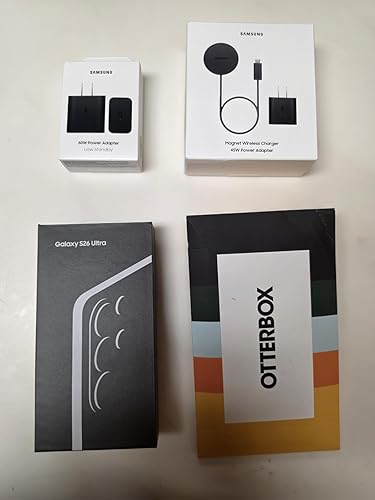
      • The 25 watt wireless charging works so well that I can see I won't be using a wired charger much. Same 25W rate as my wired S21U charging, but the S26U battery fills faster at 25W for some reason. The wireless charger puck’s magnet ring strongly locks right onto my Otterbox Defender Pro XT case's (Amazon B0GD2KS743) opposite-pole magnet ring. The Samsung 25W wireless charger kit is labeled "Magnet Wireless Charger | 45W Power Adapter", a 25 watt wireless puck AND a 45 watt charger in the same box (EP-P2900TBEGUS, Amazon B0FXHJTGNN). The puck requires the 45W charger (EP-T4511NBEGUS by itself, Amazon B0DQFJKP4B), its info says, even though it puts out just the 25W of charging power. You can unplug the 25W wireless charging puck from the 45W adapter it comes with (USB-C), then use the wired charging cable in the S26U box to get a full 45W charging rate, about 2x as fast (real-world tested) as 25W! 2 charging rates in one box. The 15 watt wireless charging on the S21U was nearly useless with no magnets for coil alignment.

      • The S26U display shows: “Super fast wireless charging” for 25W from the puck; "Super fast charging" for the S21U's 25W wired adapter; “Super fast charging 2.0” for 45W wired charging; & “Super fast charging 3.0” for a wired connection with the 60W wall charger. I’m finding the Samsung 60W (EP-T6010NBEGUS, Amazon B0GXGMCQYJ) & 45W wired chargers are charging at nearly the same rate if the battery is already mostly full. Seems the 60W rate would only happen for a while if the battery is very low and not too warm, since the charging rate is also thermally limited. The 25W wireless & 45W wired cable S26U charging is really all many people would likely need, unless their battery gets full-cycled (mostly discharged) often, then the 60W would help. The 60W adapter is heavy! Best to use it in a fairly tight-fitting wall socket.

      • The S26U uses higher 15 Volt and 20 volt charging voltages than some past phones, such that it only needs 3 amps vs 5 amps of current, resulting in requiring less bulky (than 5A) 3A charging cables. 5 amp cables will still work perfectly, passing only 3A, just less flexible. S26U 25W (S21U charger) = 2.77A*9V; 45W = 3A*15V; 60W = 3A*20V. Some older phones used 45W = 5A*9V. Their “45W” wall adapter wouldn’t give 45W S26U charging if they can't produce 15V. The Samsung S26U 3A charging cords have nice rubber strain reliefs at the ends. They can transfer data too at a very reduced USB 2.0 480 Mbps rate with their one half-duplex data wire pair: 3ft 3A = EP-DA705BBEGWW (Amazon B07T99CGDF); 6ft 3A = EP-DX310JBEGU (Amazon B09QQKPPJK). A USB 3.2 rated 5/10/20 Gbps USB-C cable with 4 more full-duplex data wire pairs & an E-Marker chip is needed for the S26U's port's full speed 5 Gbps data transfers [Amazon B0DZP2S6F9 & B0D4PRVVR7].

      • The 45 watt USB-C port on the Samsung EP-L5300 (Amazon B089RD7F71) car charger works for the S26U with the Samsung 25W wireless puck (puck w/o adapter EP-P2900BBEGUS [Amazon B0FXHJQJ81]) AND with wired 45W wired charging (tested!). Plus it has a 15W USB-A port for something else.

      • The S26U's 5000 mAh lithium battery is lasting much longer for a given time period than the same in the S21U, even though small by today's standards, likely thanks to the higher efficiency of the 3nm Snapdragon SoC CPU and Adreno 840 GPU vs 5nm in the S21U. The charging battery-life-extender “stop %” setting in the S26U is adjustable from 80–100%, vs. fixed at 80% or 100% in the S21U. Mine is set at 90% now. I can go to bed with 90% showing on the S26U, then wake up with 81% - and that is with the two cell carriers running (see below). Awesome!

      • App start-up & switching between apps is much faster and smoother on the S26U than the S21U, given the 2X faster performance SoC CPU. App & OS updates (and phone restarts) go fast! The S26U has UFS V4.0 storage vs. the rumored latest V4.1 (higher efficiency), but no loss since they both transfer data at the same speed. The 2nm Snapdragon 8 Elite Gen 6 Pro SoC expected in the S27 Ultra is slated for UFS V5.0, twice the bandwidth of V4.0, and for LPDDR6 memory which will also used by the new Adreno 850 GPU & its 50% wider memory bus. Will be a beast! The S26U's Adreno 840 GPU is 3x as fast as the S21U's Adreno 660 and has hardware ray tracing, while consuming much less power.

      • The dual SIM radios in the S26U work well! I'm now running Cricket (AT&T towers) on physical SIM IMEI1 and Spectrum Mobile (Verizon towers) on eSIM IMEI2. The S26U is fully set up for switching the call, messages, and data independently between carriers, sim1 and sim2 in the quick panel. The upper left of the lock screen shows "cricket * Spectrum" for carriers, and the signal strength bar adds a new row of dots underneath to show the signal strength of the other carrier too, plus showing both strength bars when the quick panel is pulled down. If you travel to different parts of town where one carrier’s signal is much weaker, and/or has a “full tower load” signal drop-out, and/or only one carrier has 5G mmWave antennas in an area ("5G+" display), and/or you want to use your data quota on a specific carrier, this is great. Two chances at getting a good connection. I've found that certain carriers (Total Wireless) won't sell a second line eSIM unless they also have the physical SIM on line 1, so they couldn't be used for different dual carriers. Given an IMEI2 number, a carrier will know who the carrier for IMEI1 is.

      • Better weight/size distribution. Only 1 oz less (9 oz vs 10 oz), with cases, than the S21U, but the S26U literally feels 25% lighter being slightly larger. Kind of a magic trick!

      • The Wi-Fi 7 works well as does the 6 GHz band. In my TP Link BE 550 Pro router/AP (from Amazon! B0DM6RF34J) I had to change the 6 GHz bandwidth from the default 160 MHz to "mixed 160/320 MHz" (or just 320 MHz) to have that band show as Wi-Fi 7 on the S26U vs Wi-Fi 6E (symbols for both on the display). I've read that iPhones don't even have a 320 MHz bandwidth option on 6 GHz, so those users are apparently left with 6E on 6 GHz. The bandwidth setting in your router on the 5 GHz band might have to be lowered to 80 MHz max (20/40/80) from 160 MHz if you are experiencing lag. I haven't seen it, but a bug there with some routers from reports. The S21U was officially the world's first smartphone to support 6 GHz 6E Wi-Fi when it came out! I had mine talking to a wired ARRIS 6E AP blade, but the S21U's 6 GHz radio died after the second year. :(

      • The S26U Wi-Fi switches between SSIDs VERY well, automatically, based on signal strength, when walking around a spread-out house with different wired Wi-Fi AP’s, as is my case. The S21U usually didn’t, requiring frequent manual SSID changes walking around. I’ve noticed the S26U even turns the Wi-Fi back on when I get home (SSID recognition), after I’ve turned it off while gone in the car.

      • The "3D" fingerprint reader on the S26U works very well! Nearly every time. That is without even turning on the new "improve accuracy" additional 10x scan option, too. The "0D" (lol) fingerprint reader on the S21U was useless, at least with my worn and scarred fingerprint. I gave up early-on with the S21U reader and used PIN codes ever since. The “Samsung Pass” app is usable now with its required fingerprint bio-ID.

      • I've shot some 4K and 8K video and it looks fantastic! Samsung's new APV encoding standard, a modern competitor to the older Apple Pro Res, is good with claimed 10% better storage efficiency. The phone will record 4:2:2 internally, supports Log recording, and can record to external SSD storage on USB via the port (there is a video setting to enable it). 4K60fps APV 422HQ generates 12GB/min; 422LQ = 6GB/min. Hoping for a full 1" camera sensor on the S27 Ultra! I love Samsung's change to natural "true/accurate" colors with the S26U cam vs. the processed "happy bright" colors of past Samsung phone cams. The S25 Ultra doesn't have APV, or the amazing new video Horizon Lock feature, so right there along with true color are 3 good reasons to get the S26U if you are a video fan.

      • The low light camera ability of the f/1.4 wider-aperture S26U main cam (vs. S25U's f/1.7) is also quite good. I wind up with a *lot* of low light situations where I need to take photos. Couldn't do it with the S21U much of the time. I would have to use my large Lumix GH7 & GH5 MFT cameras with a fast lens. Hoping for the rumored return (from the S10!) to a variable-aperture main cam on the S27, matching similar iPhone 18 rumors.

      • Be sure to download & install the Samsung "Good Lock" and "Camera Assistant" apps from the Samsung Store! The "Good Lock" app has all sorts of useful camera customization options with even more being added by the upcoming One UI 9.0 phone OS. Then go to "advanced resolution options" and enable "24MP" photo mode (adds to the existing modes), which is a very useful point-and-shoot AI processing of multi-frame stacked images using various cams: ultrawide cam for 0.6-0.9x; main cam for 1x-1.9x; and telephoto for 5x-9.9x. The 3x cam doesn't participate in the fun and is rumored to be gone in the S27 Ultra. Excellent 40% resolution improvement over 12MP, with noise reduction and reasonable file sizes. The S21U didn't have 24MP at all, while the S25U only has it in Expert Raw mode.

      • I've taken a *lot* of photos recently in 24MP mode ^^ and love it. Toggle-on "keep 24MP resolution" to keep it permanently in the camera's list between 12MP and 50MP. Note that while the 24MP shutter "snap" is instant, the phone then processes the photo in the background, once the camera is closed, for up to 30 seconds. Longer if several shots in a row. Shows up in the top status bar as "refining picture". If the image file is being transferred out to a PC using S26U's "Link to Windows" in Quick Panel and "Phone Link" on Windows 11 (the link uses both Wi-Fi & Bluetooth, check that BT is on), or a cable, close the cam and give it that time for the images to show up in the list. See my Windows 11 File Explorer photo that shows the Phone Link "Galaxy S26 Ultra" external device entry *above* "This PC", while a separate "Galaxy S26 Ultra" entry, if using a cable, shows up at the same time below "This PC" with the drive letter listings, acting like a drive. The latter cable connection is faster for photo & file transfer ofc, but the former Wi-Fi is not bad.

      • The S26U, like the S21U, can take *photos* in RAW mode (unprocessed sensor data) with the built-in Pro Mode (12 bit) or Expert Raw Mode (16 bit) added by the Samsung app for external processing on a PC/Mac with Lightroom, etc. The S26U isn't able to shoot *video* in true RAW mode though like the iPhone17 Pro Max can, but I don't view this as a problem at all. RAW video with its massive uncompressed files is really best shot with a dedicated camera like the Lumix GH7 that has a bigger sensor, lower noise, and large glass lenses to collect more light with less processing, IMHO.

      • The camera lenses do stick out in the back though, unlike the S21U where they were flat (and recessed with the S21U Otterbox Defender case). The S26U Otterbox Pro XT case mitigates that to some extent by having a plastic ring around the lens area that is slightly taller to help keep the lens from scraping on things when the phone is set down on its back. Lens protectors are a good idea (Amazon B0G7STMFKY).

      • The speakers/audio on the S26U can go a bit louder (and clearer) than the S21U, which was needed. Try this: while on a phone call in a noisy environment, pull down the quick panel and tap "Mic Mode", then select "Voice Focus". Does a good job of filtering out the background noise to let voice through. Hopefully the S27U will support 32-bit float audio recording, like the Lumix GH7 cam and iPhone 17 Pro Max support, for zero concern over recording levels! Samsung really needs to update their new APV codec to support 32-bit float audio, like Pro Res can – this is a big Samsung omission, IMHO. :/

      • The Bluetooth V6.0 in the S26U works better (stable, less lag, faster connect, longer range) than the S21U BT V5.2 with my car entertainment link (Lexus RX350) and PreSonus Eris 4.5BT desktop speakers. I can be 6 car-lengths away from a storage unit's BT entry gate (uses an app) now vs just 3 ft with the S21U. Unfortunately the S26U’s SoC chip doesn’t support the latest (Nov 2025) low-latency BT V6.2. Hoping for that in the S27U.

      • The S26U 5 Gbps USB 3.2 Gen 1 port, same as the S21U has, still supports DisplayPort Alt Mode & HDMI, using an adapter cable to an external monitor. Useful for Samsung Dex (PC-like environment independent from the phone's display) or screen mirroring. As with the S21U, Smart View in the quick panel is Samsung's version of (Wi-Fi Direct) Miracast. It works wonderfully, with a bit more lag vs. a cable, for phone screen mirroring through things like a Roku box, Amazon Fire Stick TV, or a smart TV. I use it a lot!

      • USB port/cable specs are a happy mess of evolved standards over the years. Use a USB 3.2 rated USB-C 5/10/20 Gbps "full featured" (22-wire) cable with an E-marker chip [Amazon B0DZP2S6F9 or B0D4PRVVR7] when connecting the S26U to things with 5/10/20 Gbps USB 3.2 USB-C ports like: an external NVMe SSD for storing video or a PC for file transfer. Originally 5 Gbps USB 3.0 "SuperSpeed" & 10 Gbps USB 3.1 "SuperSpeed+" links tried to verify/negotiate speed with "link training" which didn't work well in the real world. A modern cable's E-Marker chip eliminates the speed (and power) capability guesswork for speeds over USB 2.0. Otherwise, with just a USB 2.0 4-wire charging cable, a USB 3.2 port on each end will fall back to USB 2.0 speeds and Windows 11 File Explorer might show "external device failure" mid-way if transferring files/photos. Be sure to run Windows 10/11's Windows Update with: a USB 3.2 10/20 Gbps data cable in place from PC to the S26U, the S26U pull-down set for USB file transfer, and phone unlocked. A couple of new Samsung S26 high-speed drivers might show up (did for me). I’m hoping for a 10 Gbps USB 3.2 gen 2 port in the S27 Ultra, like the iPhone17 has, or even better 3.2 gen 2x2 20 Gbps for the higher res video out to NVMe SSDs.

      • The S26U adds Google Messaging via satellite connection to the emergency SOS satellite feature in the S25U, both only operational when no cell or Wi-Fi service exists. Spectrum Mobile does have satellite service via Skylo that comes included with the plans. I haven't been able to test since I always have cell & Wi-Fi signals around here. T-Mobile apparently offers S26U satellite via Starlink. The S26U allows up to 7 additional eSIMs to be stored & swapped out with the 2 active SIMs as needed. Future satellite-only monthly add-on plans could be added as a stored eSIMs. Maybe from Starlink or even Amazon's Leo 396-satellite network (Kuiper) & their ongoing Globalstar purchase (both currently geared toward Apple iPhone satellite).

      • Samsung is just now phasing out their wonderful messaging app in favor of Google messages due to universal (vs. carrier-specific) RCS. An alternative without RCS (typing, read indicators, & some other social media app stuff), but with the usual SMS and MMS, is Textra (free & paid versions). After install go to settings->apps->default apps->SMS app and set to Textra (Gmsgs still there, just not default). Samsung also recently, via an update, reduced the max number of email accounts that can be set to IMAP immediate-receive (push) in their Samsung email app. If you have many email accounts, like I do, and the app is suddenly crashing on startup, change a few to 15 minute (fetch) receive. Same with Thunderbird - defaults to just 10 email accounts as push. Be sure to go into battery settings for ANY of your messaging, email, and social media apps and change from "optimized" to "unrestricted". Otherwise the phone OS will randomly cut off their battery access when it thinks they are idle, delaying incoming messages.

      • The Samsung Smart Switch transfer app - the default that comes up when you power up the S26U - from the S21U took about 45 minutes to transfer 72GB of apps and data using the USB 2.0 charging cable in the S26U box. The S26U had 69% battery out of the box, then the 45 transfer took it down to 55%. Keep in mind the SSS app completely re-installs the latest version of the phone’s apps from Google Play & Samsung Store, not just copying them over, then re-loads their data. Works extremely well! ZERO problem with the transfer, but of course passwords have to be re-entered everywhere since they are phone-specific encrypted. Any discontinued apps (I had one) or side-loaded apps have to be handled later, manually.

      • Can't comment about the AI/Bixby and stylus. I don't use either (well, except for 24MP mode & Horizon Lock in the camera which use AI ^^), maybe in the future. The S26U has a 40% faster NPU than the S25U, if you do use the phone’s AI. Remember that Claude & ChatGPT AI do all their computes in the cloud, at data centers. They don’t use a phone’s (or PC’s) NPU at all, at least currently.

      * The upcoming new One UI V9.0/Android 17 OS release with some useful updates is now in beta test for the S26U! Release expected in late August. The S26U gets a full seven years of operating system updates, through 2033, making this phone a solid value to keep or trade in years to come. I may trade in for the future S27U or S28U if my hoped-for true 10-bit display & 7000+ mAh battery happen. :)

      • And *great work* Amazon in getting the pre-ordered phone to me right on the promised March 11 release date! Updated 7/22/26.

      Wonderful upgrade from the S21 Ultra! Display is good straight-on and up to 30% off-axis.
      Wonderful upgrade from the S21 Ultra! Display is good straight-on and up to 30% off-axis.

      SUMMARY: BUY IT! The S26 Ultra is an excellent phone with a solid set of features. My S21 Ultra's OneUI/Android OS updates ended in January.

      • The S26 Ultra display looks great, better than the S21 Ultra, if viewed straight-on and up to maybe 30% off-axis with the privacy display off. I use my phone like this most of the time and have no need for the "privacy" feature, so a win. Farther off-axis though, or with the privacy display "on", the nicest thing I can say is "it will do the job until the S27 Ultra is released with hopefully Privacy Display V2.0". The display defaults to midway FHD+ resolution for a tiny battery savings, like the S21U did, so bump it up to QHD+ in Settings->Display->Screen Resolution to fully enjoy.

      • The display's dithered (Frame Rate Control) 8-bit (16.7 million colors) to simulate 10-bit looks OK visually. The S21U used the same, and so likely does iPhone 17. I'm hoping for a true 10-bit display (1.07 billion colors & no visual artifacts) in the S27 or S28 Ultra with a much higher-than-existing 480 Hz PWM display-dimming frequency to reduce eye strain, 3500 nits of max brightness (vs 2600 in the S26U), and at least a 7000 mAh silicon-carbon battery - all 4 things as in current Oppo & Xiaomi phones. :/

      • The 25 watt wireless charging works so well that I can see I won't be using a wired charger much. Same 25W rate as my wired S21U charging, but the S26U battery fills faster at 25W for some reason. The wireless charger puck’s magnet ring strongly locks right onto my Otterbox Defender Pro XT case's (Amazon B0GD2KS743) opposite-pole magnet ring. The Samsung 25W wireless charger kit is labeled "Magnet Wireless Charger | 45W Power Adapter", a 25 watt wireless puck AND a 45 watt charger in the same box (EP-P2900TBEGUS, Amazon B0FXHJTGNN). The puck requires the 45W charger (EP-T4511NBEGUS by itself, Amazon B0DQFJKP4B), its info says, even though it puts out just the 25W of charging power. You can unplug the 25W wireless charging puck from the 45W adapter it comes with (USB-C), then use the wired charging cable in the S26U box to get a full 45W charging rate, about 2x as fast (real-world tested) as 25W! 2 charging rates in one box. The 15 watt wireless charging on the S21U was nearly useless with no magnets for coil alignment.

      • The S26U display shows: “Super fast wireless charging” for 25W from the puck; "Super fast charging" for the S21U's 25W wired adapter; “Super fast charging 2.0” for 45W wired charging; & “Super fast charging 3.0” for a wired connection with the 60W wall charger. I’m finding the Samsung 60W (EP-T6010NBEGUS, Amazon B0GXGMCQYJ) & 45W wired chargers are charging at nearly the same rate if the battery is already mostly full. Seems the 60W rate would only happen for a while if the battery is very low and not too warm, since the charging rate is also thermally limited. The 25W wireless & 45W wired cable S26U charging is really all many people would likely need, unless their battery gets full-cycled (mostly discharged) often, then the 60W would help. The 60W adapter is heavy! Best to use it in a fairly tight-fitting wall socket.

      • The S26U uses higher 15 Volt and 20 volt charging voltages than some past phones, such that it only needs 3 amps vs 5 amps of current, resulting in requiring less bulky (than 5A) 3A charging cables. 5 amp cables will still work perfectly, passing only 3A, just less flexible. S26U 25W (S21U charger) = 2.77A*9V; 45W = 3A*15V; 60W = 3A*20V. Some older phones used 45W = 5A*9V. Their “45W” wall adapter wouldn’t give 45W S26U charging if they can't produce 15V. The Samsung S26U 3A charging cords have nice rubber strain reliefs at the ends. They can transfer data too at a very reduced USB 2.0 480 Mbps rate with their one half-duplex data wire pair: 3ft 3A = EP-DA705BBEGWW (Amazon B07T99CGDF); 6ft 3A = EP-DX310JBEGU (Amazon B09QQKPPJK). A USB 3.2 rated 5/10/20 Gbps USB-C cable with 4 more full-duplex data wire pairs & an E-Marker chip is needed for the S26U's port's full speed 5 Gbps data transfers [Amazon B0DZP2S6F9 & B0D4PRVVR7].

      • The 45 watt USB-C port on the Samsung EP-L5300 (Amazon B089RD7F71) car charger works for the S26U with the Samsung 25W wireless puck (puck w/o adapter EP-P2900BBEGUS [Amazon B0FXHJQJ81]) AND with wired 45W wired charging (tested!). Plus it has a 15W USB-A port for something else.

      • The S26U's 5000 mAh lithium battery is lasting much longer for a given time period than the same in the S21U, even though small by today's standards, likely thanks to the higher efficiency of the 3nm Snapdragon SoC CPU and Adreno 840 GPU vs 5nm in the S21U. The charging battery-life-extender “stop %” setting in the S26U is adjustable from 80–100%, vs. fixed at 80% or 100% in the S21U. Mine is set at 90% now. I can go to bed with 90% showing on the S26U, then wake up with 81% - and that is with the two cell carriers running (see below). Awesome!

      • App start-up & switching between apps is much faster and smoother on the S26U than the S21U, given the 2X faster performance SoC CPU. App & OS updates (and phone restarts) go fast! The S26U has UFS V4.0 storage vs. the rumored latest V4.1 (higher efficiency), but no loss since they both transfer data at the same speed. The 2nm Snapdragon 8 Elite Gen 6 Pro SoC expected in the S27 Ultra is slated for UFS V5.0, twice the bandwidth of V4.0, and for LPDDR6 memory which will also used by the new Adreno 850 GPU & its 50% wider memory bus. Will be a beast! The S26U's Adreno 840 GPU is 3x as fast as the S21U's Adreno 660 and has hardware ray tracing, while consuming much less power.

      • The dual SIM radios in the S26U work well! I'm now running Cricket (AT&T towers) on physical SIM IMEI1 and Spectrum Mobile (Verizon towers) on eSIM IMEI2. The S26U is fully set up for switching the call, messages, and data independently between carriers, sim1 and sim2 in the quick panel. The upper left of the lock screen shows "cricket * Spectrum" for carriers, and the signal strength bar adds a new row of dots underneath to show the signal strength of the other carrier too, plus showing both strength bars when the quick panel is pulled down. If you travel to different parts of town where one carrier’s signal is much weaker, and/or has a “full tower load” signal drop-out, and/or only one carrier has 5G mmWave antennas in an area ("5G+" display), and/or you want to use your data quota on a specific carrier, this is great. Two chances at getting a good connection. I've found that certain carriers (Total Wireless) won't sell a second line eSIM unless they also have the physical SIM on line 1, so they couldn't be used for different dual carriers. Given an IMEI2 number, a carrier will know who the carrier for IMEI1 is.

      • Better weight/size distribution. Only 1 oz less (9 oz vs 10 oz), with cases, than the S21U, but the S26U literally feels 25% lighter being slightly larger. Kind of a magic trick!

      • The Wi-Fi 7 works well as does the 6 GHz band. In my TP Link BE 550 Pro router/AP (from Amazon! B0DM6RF34J) I had to change the 6 GHz bandwidth from the default 160 MHz to "mixed 160/320 MHz" (or just 320 MHz) to have that band show as Wi-Fi 7 on the S26U vs Wi-Fi 6E (symbols for both on the display). I've read that iPhones don't even have a 320 MHz bandwidth option on 6 GHz, so those users are apparently left with 6E on 6 GHz. The bandwidth setting in your router on the 5 GHz band might have to be lowered to 80 MHz max (20/40/80) from 160 MHz if you are experiencing lag. I haven't seen it, but a bug there with some routers from reports. The S21U was officially the world's first smartphone to support 6 GHz 6E Wi-Fi when it came out! I had mine talking to a wired ARRIS 6E AP blade, but the S21U's 6 GHz radio died after the second year. :(

      • The S26U Wi-Fi switches between SSIDs VERY well, automatically, based on signal strength, when walking around a spread-out house with different wired Wi-Fi AP’s, as is my case. The S21U usually didn’t, requiring frequent manual SSID changes walking around. I’ve noticed the S26U even turns the Wi-Fi back on when I get home (SSID recognition), after I’ve turned it off while gone in the car.

      • The "3D" fingerprint reader on the S26U works very well! Nearly every time. That is without even turning on the new "improve accuracy" additional 10x scan option, too. The "0D" (lol) fingerprint reader on the S21U was useless, at least with my worn and scarred fingerprint. I gave up early-on with the S21U reader and used PIN codes ever since. The “Samsung Pass” app is usable now with its required fingerprint bio-ID.

      • I've shot some 4K and 8K video and it looks fantastic! Samsung's new APV encoding standard, a modern competitor to the older Apple Pro Res, is good with claimed 10% better storage efficiency. The phone will record 4:2:2 internally, supports Log recording, and can record to external SSD storage on USB via the port (there is a video setting to enable it). 4K60fps APV 422HQ generates 12GB/min; 422LQ = 6GB/min. Hoping for a full 1" camera sensor on the S27 Ultra! I love Samsung's change to natural "true/accurate" colors with the S26U cam vs. the processed "happy bright" colors of past Samsung phone cams. The S25 Ultra doesn't have APV, or the amazing new video Horizon Lock feature, so right there along with true color are 3 good reasons to get the S26U if you are a video fan.

      • The low light camera ability of the f/1.4 wider-aperture S26U main cam (vs. S25U's f/1.7) is also quite good. I wind up with a *lot* of low light situations where I need to take photos. Couldn't do it with the S21U much of the time. I would have to use my large Lumix GH7 & GH5 MFT cameras with a fast lens. Hoping for the rumored return (from the S10!) to a variable-aperture main cam on the S27, matching similar iPhone 18 rumors.

      • Be sure to download & install the Samsung "Good Lock" and "Camera Assistant" apps from the Samsung Store! The "Good Lock" app has all sorts of useful camera customization options with even more being added by the upcoming One UI 9.0 phone OS. Then go to "advanced resolution options" and enable "24MP" photo mode (adds to the existing modes), which is a very useful point-and-shoot AI processing of multi-frame stacked images using various cams: ultrawide cam for 0.6-0.9x; main cam for 1x-1.9x; and telephoto for 5x-9.9x. The 3x cam doesn't participate in the fun and is rumored to be gone in the S27 Ultra. Excellent 40% resolution improvement over 12MP, with noise reduction and reasonable file sizes. The S21U didn't have 24MP at all, while the S25U only has it in Expert Raw mode.

      • I've taken a *lot* of photos recently in 24MP mode ^^ and love it. Toggle-on "keep 24MP resolution" to keep it permanently in the camera's list between 12MP and 50MP. Note that while the 24MP shutter "snap" is instant, the phone then processes the photo in the background, once the camera is closed, for up to 30 seconds. Longer if several shots in a row. Shows up in the top status bar as "refining picture". If the image file is being transferred out to a PC using S26U's "Link to Windows" in Quick Panel and "Phone Link" on Windows 11 (the link uses both Wi-Fi & Bluetooth, check that BT is on), or a cable, close the cam and give it that time for the images to show up in the list. See my Windows 11 File Explorer photo that shows the Phone Link "Galaxy S26 Ultra" external device entry *above* "This PC", while a separate "Galaxy S26 Ultra" entry, if using a cable, shows up at the same time below "This PC" with the drive letter listings, acting like a drive. The latter cable connection is faster for photo & file transfer ofc, but the former Wi-Fi is not bad.

      • The S26U, like the S21U, can take *photos* in RAW mode (unprocessed sensor data) with the built-in Pro Mode (12 bit) or Expert Raw Mode (16 bit) added by the Samsung app for external processing on a PC/Mac with Lightroom, etc. The S26U isn't able to shoot *video* in true RAW mode though like the iPhone17 Pro Max can, but I don't view this as a problem at all. RAW video with its massive uncompressed files is really best shot with a dedicated camera like the Lumix GH7 that has a bigger sensor, lower noise, and large glass lenses to collect more light with less processing, IMHO.

      • The camera lenses do stick out in the back though, unlike the S21U where they were flat (and recessed with the S21U Otterbox Defender case). The S26U Otterbox Pro XT case mitigates that to some extent by having a plastic ring around the lens area that is slightly taller to help keep the lens from scraping on things when the phone is set down on its back. Lens protectors are a good idea (Amazon B0G7STMFKY).

      • The speakers/audio on the S26U can go a bit louder (and clearer) than the S21U, which was needed. Try this: while on a phone call in a noisy environment, pull down the quick panel and tap "Mic Mode", then select "Voice Focus". Does a good job of filtering out the background noise to let voice through. Hopefully the S27U will support 32-bit float audio recording, like the Lumix GH7 cam and iPhone 17 Pro Max support, for zero concern over recording levels! Samsung really needs to update their new APV codec to support 32-bit float audio, like Pro Res can – this is a big Samsung omission, IMHO. :/

      • The Bluetooth V6.0 in the S26U works better (stable, less lag, faster connect, longer range) than the S21U BT V5.2 with my car entertainment link (Lexus RX350) and PreSonus Eris 4.5BT desktop speakers. I can be 6 car-lengths away from a storage unit's BT entry gate (uses an app) now vs just 3 ft with the S21U. Unfortunately the S26U’s SoC chip doesn’t support the latest (Nov 2025) low-latency BT V6.2. Hoping for that in the S27U.

      • The S26U 5 Gbps USB 3.2 Gen 1 port, same as the S21U has, still supports DisplayPort Alt Mode & HDMI, using an adapter cable to an external monitor. Useful for Samsung Dex (PC-like environment independent from the phone's display) or screen mirroring. As with the S21U, Smart View in the quick panel is Samsung's version of (Wi-Fi Direct) Miracast. It works wonderfully, with a bit more lag vs. a cable, for phone screen mirroring through things like a Roku box, Amazon Fire Stick TV, or a smart TV. I use it a lot!

      • USB port/cable specs are a happy mess of evolved standards over the years. Use a USB 3.2 rated USB-C 5/10/20 Gbps "full featured" (22-wire) cable with an E-marker chip [Amazon B0DZP2S6F9 or B0D4PRVVR7] when connecting the S26U to things with 5/10/20 Gbps USB 3.2 USB-C ports like: an external NVMe SSD for storing video or a PC for file transfer. Originally 5 Gbps USB 3.0 "SuperSpeed" & 10 Gbps USB 3.1 "SuperSpeed+" links tried to verify/negotiate speed with "link training" which didn't work well in the real world. A modern cable's E-Marker chip eliminates the speed (and power) capability guesswork for speeds over USB 2.0. Otherwise, with just a USB 2.0 4-wire charging cable, a USB 3.2 port on each end will fall back to USB 2.0 speeds and Windows 11 File Explorer might show "external device failure" mid-way if transferring files/photos. Be sure to run Windows 10/11's Windows Update with: a USB 3.2 10/20 Gbps data cable in place from PC to the S26U, the S26U pull-down set for USB file transfer, and phone unlocked. A couple of new Samsung S26 high-speed drivers might show up (did for me). I’m hoping for a 10 Gbps USB 3.2 gen 2 port in the S27 Ultra, like the iPhone17 has, or even better 3.2 gen 2x2 20 Gbps for the higher res video out to NVMe SSDs.

      • The S26U adds Google Messaging via satellite connection to the emergency SOS satellite feature in the S25U, both only operational when no cell or Wi-Fi service exists. Spectrum Mobile does have satellite service via Skylo that comes included with the plans. I haven't been able to test since I always have cell & Wi-Fi signals around here. T-Mobile apparently offers S26U satellite via Starlink. The S26U allows up to 7 additional eSIMs to be stored & swapped out with the 2 active SIMs as needed. Future satellite-only monthly add-on plans could be added as a stored eSIMs. Maybe from Starlink or even Amazon's Leo 396-satellite network (Kuiper) & their ongoing Globalstar purchase (both currently geared toward Apple iPhone satellite).

      • Samsung is just now phasing out their wonderful messaging app in favor of Google messages due to universal (vs. carrier-specific) RCS. An alternative without RCS (typing, read indicators, & some other social media app stuff), but with the usual SMS and MMS, is Textra (free & paid versions). After install go to settings->apps->default apps->SMS app and set to Textra (Gmsgs still there, just not default). Samsung also recently, via an update, reduced the max number of email accounts that can be set to IMAP immediate-receive (push) in their Samsung email app. If you have many email accounts, like I do, and the app is suddenly crashing on startup, change a few to 15 minute (fetch) receive. Same with Thunderbird - defaults to just 10 email accounts as push. Be sure to go into battery settings for ANY of your messaging, email, and social media apps and change from "optimized" to "unrestricted". Otherwise the phone OS will randomly cut off their battery access when it thinks they are idle, delaying incoming messages.

      • The Samsung Smart Switch transfer app - the default that comes up when you power up the S26U - from the S21U took about 45 minutes to transfer 72GB of apps and data using the USB 2.0 charging cable in the S26U box. The S26U had 69% battery out of the box, then the 45 transfer took it down to 55%. Keep in mind the SSS app completely re-installs the latest version of the phone’s apps from Google Play & Samsung Store, not just copying them over, then re-loads their data. Works extremely well! ZERO problem with the transfer, but of course passwords have to be re-entered everywhere since they are phone-specific encrypted. Any discontinued apps (I had one) or side-loaded apps have to be handled later, manually.

      • Can't comment about the AI/Bixby and stylus. I don't use either (well, except for 24MP mode & Horizon Lock in the camera which use AI ^^), maybe in the future. The S26U has a 40% faster NPU than the S25U, if you do use the phone’s AI. Remember that Claude & ChatGPT AI do all their computes in the cloud, at data centers. They don’t use a phone’s (or PC’s) NPU at all, at least currently.

      * The upcoming new One UI V9.0/Android 17 OS release with some useful updates is now in beta test for the S26U! Release expected in late August. The S26U gets a full seven years of operating system updates, through 2033, making this phone a solid value to keep or trade in years to come. I may trade in for the future S27U or S28U if my hoped-for true 10-bit display & 7000+ mAh battery happen. :)

      • And *great work* Amazon in getting the pre-ordered phone to me right on the promised March 11 release date! Updated 7/22/26.

      194 people found this helpful
      Sending feedback...
      Thank you for your feedback.
      Sending feedback...
      Thanks, we'll investigate in the next few days.

      We'll check if this review meets our community guidelinesOpens in a new tab. If it doesn't, we'll remove it.

    • 5 out of 5 stars
      The upgrade I needed
      Reviewed in the United States on August 17, 2026
      Brief content visible, double tap to read full content.
      Full content visible, double tap to read brief content.

      We've been with Samsung since the S4 and though we were talked into something different by a salesperson, we returned after a couple months haven't veered since.

      Of all the iterations of the phone, this one is my favorite.

      The best features are found in the camera and on-board editing tools and ai. It's an editing studio on the go. When everyone takes group photos and you all use your phones to capture the same perspective, yours is the photo people will use for its crisp results. You can even drop logos on your photos with the sticker editing tool.

      App navigation and page transitions are smooth and not chonky like the other popular competitor.

      It offers so much better customization that I can't do on my work appointed competitor phone.

      Video stabilization is neat. Having it track the horizon line is a nice feature if you're a v-logger and need some stabilization that you'd get out of a gimble. It's not QUITE as good, but if that guy with the famous Bigfoot footage from the 70s had this, we would have a clean video of it... just saying.

      Size wise it's comparable to the last previous years releases. The screen size is a good size without feeling like I'm carrying a tablet.

      The phone being unlocked was an easy setup for moving from my old damaged phone to this one. The condition of the phone was great and seemed brand new.

      The calls sound clear both in ear and speaker. Bluetooth also works great.

      Good value for the money.

      7 people found this helpful
      Sending feedback...
      Thank you for your feedback.
      Sending feedback...
      Thanks, we'll investigate in the next few days.

      We'll check if this review meets our community guidelinesOpens in a new tab. If it doesn't, we'll remove it.

    • 5 out of 5 stars
      Fast once bloatware rmv'd/disabled, privacy feature clever UPDATED 260803
      Reviewed in the United States on July 20, 2026
      Brief content visible, double tap to read full content.
      Full content visible, double tap to read brief content.

      Not a my-choice purchase as old phone died... and wasn't crazy about how much more expensive new premier Samsung conventional smartphones were. But here we are... and there's good and bad imo.

      Good:

      - still has S-Pen (if dumbed-down from earlier phones)

      - *very* fast and responsive

      - privacy feature will prolly be on every smartphone soon

      - Smart Switch was so painless, wouldn't mind doing it again in 4y (have waited in carrier stores 8hrs to do the same thing once upon a time in smartphone history)

      - no options to make the battery life shorter, that it doesn't tell you about in no uncertain terms

      Bad:

      - heavier than old phone, for almost the exact same screen size and phone thickness

      - dumbed-down S-Pen

      - privacy feature enabled, cuts screen resolution by a *lot*

      - still had data transfers not done, as classically-frustrating buying a new phone, just less so

      - so much bloatware (if you hate the attempted hegemony of AI like I do), that responsiveness is less than old phone before pruning it all off

      So, other than the coup of the privacy screen (which certain things you can selectively hide), just a fast smartphone of the same resolution and slightly quicker response to inputs, as 5y ago. The flat real estate of the S26 screen is a throwback I love (means Corning glass protectors that actually work), but also mean state of the art's focused elsewhere, and that's AI like the rest of the multinational-profiteer-club universe it seems. But I'll take the better protectors and the privacy if that's what Samsung's offering, as iPhones are even more vintage-looking (and acting).

      So far no functional criticisms about the exp... but tbh, if there were, would be 2 stars just for spending so much on AI-fondling garbage s/w. So time will tell. Will update if such things appear. Four tentative stars ⭐️⭐️⭐️⭐️ _

      ---

      EDIT 21 JUL 26:

      Have had a chance to play with the best feature on the S26U, the privacy display.

      Good: having it On doesn't seem to affect battery life whatsoever. In fact, slightly extends it by disabling a portion of pixels not devoted to privacy angle (face-on to the screen). But only by a couple of minutes in my own testing.

      Bad: the privacy feature, even on Maximum setting, doesn't fully obscure the screen at angles typically seen by an over-shoulder voyeur -- your eyes must be >45 degrees from face-on, for screen display to be completely unreadable. Since your eyes are 2.36 - 2.56 inches / 60 - 65mm apart, one eye will see more than the other -- meaning when your brain combines the two, doesn't provide a perfect solution to voyeurism.

      Verdict: rather have it than not, esp when battery consumption's a wash (unlike many, many other features on this phone). Exposes voyeurs by preventing passing-glance views of what you're looking at; must be stationary a few secs to make out your screen details. Also can choose to only have certain features like password fields privacy-displayed, which is a game changer for those who want privacy but don't want their data compromised.

      ---

      EDIT 03 AUG 26:

      Since the 21st of July, have been teaching myself the quite daunting new features in a Galaxy S Ultra phone, not present 5y ago -- and yep, AI was a large portion of the re-education.

      Did research, turned most off (at least those which one *can* be turned off). As in the prior posts, speed was slightly better but not obviously better, until this was done -- and then huge gains in response time for just about everything. The usual teething with apps that need permissions re-disciplined in a new phone, and getting Google to play nice with it (still can't get photos shot with Camera and stored in Gallery, to be sent to my Gmail inbox within an hour 😒

      But that's the only complaint, really -- with Camera and Gallery. Most everything else works smoothly and now very quickly. And the Play Store's updates are easily 5x faster -- which was a real chore on the old S22.

      Going to uprate to 5 -- could've become a travesty like the infamous Samsung exploding battery debacle, so am gald they've gone back to a flat screen and invested the savings into secure pixels -- which I've already found one moment where if not enabled, could've compromised my data. Five stars ⭐️⭐️⭐️⭐️⭐️

      20 people found this helpful
      Sending feedback...
      Thank you for your feedback.
      Sending feedback...
      Thanks, we'll investigate in the next few days.

      We'll check if this review meets our community guidelinesOpens in a new tab. If it doesn't, we'll remove it.

    • 5 out of 5 stars
      Definitely the very best Galaxy class smartphone experience I've ever had so far...
      Reviewed in the United States on May 10, 2026
      Brief content visible, double tap to read full content.
      Full content visible, double tap to read brief content.

      I have been a long-time buyer of Samsung Galaxy series of smartphones for decades. Over the years, I have experienced mostly a good experience with some design flaws in the earlier models such as screen pixelation and poor battery utilization. But for the most part my Samsung phones have lasted well over 3 years until I decide to upgrade and not because the phone has malfunctioned.

      I purchased the new Samsung Galaxy s26 Ultra to replace my 3 year old Samsung Galaxy s21 FE. I am really pleased with my s26 Ultra. This phone is lightening fast, snappy, and incredibly responsive--the user environment snaps smoothly in front of you so fast there is no time to see anything in between the transition except incredible speed. The display is easy to see in direct sunlight . The biometrics--face and fingerprint unlock are accurate and function seamlessly--face unlock works really great even when I am walking outside in direct sunlight.

      My s26 Ultra is very comfortable holding it in my hand. I purchased a premium $17 clear case that is perfect to protect it. The s26 Ultra has a remarkable display that is so clear and realistic in color depth. The battery utilization is by far the best user experience that I have ever had to date with a Galaxy series phone. I can use my s26 Ultra all day--talk on the phone, use lots of apps, and still the battery meter hardly shows any battery loss and I can keep it unplugged for more than a 48 hours and it still has plenty of battery charge.

      The S-Pen is amazing. The S-Pen is very nicely housed inside the phone same as it was for my previous Samsung series note phone that I owned several years ago. When using it to write "S notes" the user experience is fantastic--you can feel the pen against the screen that mimics the feeling like a real "pen to paper" experience with the strokes of the virtual pen having the same precision as a real pen.

      My s26 Ultra is running incredibly cool and does not get overheated. The CPU in this phone is fantastic.

      I was very fortunate in that I was going to buy the phone through my cellular carrier for about the same price as Amazon but it was only going to come with 256GB of storage and the color was limited to black, so I purchased my phone on Amazon and got a limited time deal that included 512GB of storage and I got to select the Sky Blue color from all the available colors that Samsung offers for this series. And Amazon let me spread the payments interest free for 5 months, so that was just perfect for my budget.

      Aesthetics of the phone are great too, I purchased my s26 Ultra in Sky Blue color and I love this color and the shape of the phone and design are very appealing too.

      I give the Samsung Galaxy s26 Ultra a well deserved 5 out of 5 stars. Thank you Samsung and Amazon.

      64 people found this helpful
      Sending feedback...
      Thank you for your feedback.
      Sending feedback...
      Thanks, we'll investigate in the next few days.

      We'll check if this review meets our community guidelinesOpens in a new tab. If it doesn't, we'll remove it.

    • 5 out of 5 stars
      An awesome phone even tho a bit pricey.
      Reviewed in the United States on September 18, 2026
      Brief content visible, double tap to read full content.
      Full content visible, double tap to read brief content.

      The phone is well made with a good camera. There are several nice features that can enhance your phone/camera usage. I have owned several Samsung Galaxy phones and really like them. I probably would not ever switch. It does not come with a charging block only a cable. It does have super fast charging capabilities and it actually does charge faster.

      Sending feedback...
      Thank you for your feedback.
      Sending feedback...
      Thanks, we'll investigate in the next few days.

      We'll check if this review meets our community guidelinesOpens in a new tab. If it doesn't, we'll remove it.

    • 4 out of 5 stars
      1 week later - great
      Reviewed in the United States on July 8, 2026
      Brief content visible, double tap to read full content.
      Full content visible, double tap to read brief content.

      Came from an S23 to get better battery, a bigger screen, better cameras and the privacy display. I got everything I wanted but in an unexciting way.

      The design is cool, but this is definitely a Note from those back in the day. It has more aspects of a Note than an Ultra phone. With that said, using the phone feels like you are getting something accomplished with speed and accuracy thanks to the big display, s pen and other features.

      Holding it for the first time after having a smaller phone like the S23 felt impossible, but after one week I can say you can get used to it pretty easily. It is a heavier and slightly thicker phone, but you get more things from that as expected.

      The screen is beautiful and the privacy display works as well as those screen protectors you can get for other phones. In some ways, the privacy display is better since it can be turned on or off at will. You can customize whether you want it to activate in apps (like banking) or notifications, and you can regulate its intensity.

      The cameras are great, but not a huge leap from the S23 series. Photos from the main camera and 2x or 3x look the same (3x looks a little worse since it is digital zoom, unlike the regular S series phones) but 5x telephoto and on are phenomenal for portaits, landscapes, and seeing objects far away. With that said, I think you could get a similar performance with an S23 ultra or newer.

      The battery so far has been better, but not by much. It is an ultra battery for sure, but it has not lasted 2 full days like I was expected. If you are a power user like me, you will get good battery life, but OnePlus and other brands could be better.

      Disadvantages:

      - S Pen: I can't find a killer use for it, i just use it to fidget, play, and scroll through desktop webpages that would otherwise be harder to do with finger taps

      - Privacy display is not as strong in low light or at lower angles, you could tinker with the settings as you want, as said I prefer this because of the flexibility and not ruining the visibility permanently on your phone with a dark screen protector

      - Laying flat or propping up the phone: very difficult, find something solid to lean it on or get a case with a built in stand because it WILL most likely fall and it WILL rock on a table

      3 people found this helpful
      Sending feedback...
      Thank you for your feedback.
      Sending feedback...
      Thanks, we'll investigate in the next few days.

      We'll check if this review meets our community guidelinesOpens in a new tab. If it doesn't, we'll remove it.

    • 5 out of 5 stars
      Best Phone Ever!!!!
      Reviewed in the United States on July 17, 2026
      Brief content visible, double tap to read full content.
      Full content visible, double tap to read brief content.

      This phone is amazing!!!! The battery 🔋 life is remarkable, it last for hours in, even if you are on social media all day it will not use up hardly any energy use! I love this phone and it's worth every penny. You will not be disappointed, stop and go no further! This is the phone you've been searching for. Not to mention that it shipped super fast! No bloatware apps, just you and your phone. I was able to transfer all my apps and data on this phone with ease! The quality is superb and I think the best on the market! I'm so glad I made this purchase and now I have one of the best phones out there! The weight and size of this phone feels great in my hands!

      6 people found this helpful
      Sending feedback...
      Thank you for your feedback.
      Sending feedback...
      Thanks, we'll investigate in the next few days.

      We'll check if this review meets our community guidelinesOpens in a new tab. If it doesn't, we'll remove it.

    Top reviews from other countries

    Product Summary: Samsung Galaxy S26 Ultra, Unlocked Android Smartphone, 256GB, Sky Blue | Privacy Display, Galaxy AI, AI Camera, Super Fast Charging 3.0, Durable Battery, 2026, US 1 Year Warranty

    From Samsung

    4.6 out of 5 stars, 2,040 ratings

    Customer reviews

    500+ bought in past month

    About this Item

    • PRIVACY DISPLAY: Automatically hide your screen from those beside you. The built-in privacy display can be preset¹ to turn on when receiving notifications, typing passwords, or using specific apps
    • TYPE IT IN. TRANSFORM IT FAST: Enhance any shot in seconds on your smartphone by using Photo Assist² with Galaxy AI.³ Add objects, restore details, or apply new styles by simply typing or tapping
    • NIGHTS, CAPTURED CLEARLY: From gigs to city lights, record and capture moments after dark with clarity using Nightography so your photos and videos stay crisp and clear on your Samsung Galaxy
    • MAKE IT. EDIT IT. SHARE IT: Turn everyday moments into something personal with creative tools built right into your mobile phone, whether it’s a special contact photo, custom wallpaper, an invitation or more⁴
    • HELP THAT KEEPS UP: Stay in the moment while Now Nudge with Galaxy AI helps you respond faster and stay organized with smart suggestions⁵ that appear exactly when you need them on your phone
    • FIT EVERYONE IN THE SHOT: Group selfies are easier on your Samsung phone with a wider front camera⁶ that captures more of the scene, so no one gets left out of the moment
    • FAST. POWERFUL. AI-READY: Power through your day with AI-accelerated performance from our fastest, smoothest and most powerful Galaxy processor yet, built to keep up with everything you do
    • CHARGE FAST. MOVE FASTER. Galaxy S26 Ultra is Super Fast Charging 3.0 ready⁷ – so you can get back to capturing, scrolling and steaming without missing a moment
    • PAIR BEAUTIFUL SOUND: From small reverbs to subtle textures, catch new details with Hi-Res Audio⁸ when you pair your cell phone with Galaxy Buds4 Pro
    • THE WALLET MADE FOR YOUR GALAXY: With Samsung Wallet, easily access your debit and credit cards⁹, membership cards, boarding passes¹⁰ and more. All securely stored in your phone

    Product Description

    Galaxy S26 Ultra automates your life with the power of Galaxy AI.³ Prevent unwanted onlookers with the built-in privacy display. It can be preset to instantly turn on when receiving notifications, typing passwords, or using specific apps.¹ There’s also Photo Assist² which magically edits photos in seconds. Fill in missing elements and naturally blend objects with existing lighting and shadows with ease.

    Shooting at night is no longer a challenge. Nightography adjusts in real time to illuminate low light videos and photos. The Wider Selfie Capture feature gets the right group shot in one go. Thanks to the wider⁶ front camera and lens, you don’t need to stretch all the way back. It also means less retakes. If you’re looking to quickly generate playful illustrations and 3D cartoons for custom wallpapers, stickers, and more⁴, the Creative Studio brings your ideas to life.

    Making everything possible is our fastest, smoothest and most powerful processor yet. Speeding up daily tasks, Now Nudge with Galaxy AI works behind the scenes to prioritize apps, reminders, and notifications. You’ll have the most relevant information⁵ right when you need it. Further simplifying your life, Samsung Wallet securely stores payment cards⁹, boarding passes¹⁰, and more. Leave your bulky wallet at home.

    Helping you keep up with daily demands, Galaxy S26 Ultra is Super-Fast Charging 3.0 ready⁷. You can recharge in a snap to do more. To get the most out of your S26 Ultra, pair with Galaxy Buds4 Pro11 to hear music like never before with Hi-Res Audio.⁸

    ¹Must be enabled in settings.

    ²Requires Samsung account login and internet connection. Editing with Photo Assist results in a resized photo up to12MP.

    ³Galaxy AI basic features provided by Samsung are free. Any Samsung enhanced AI features and all third-party AI features are subject to different terms and may be subject to fees. (Galaxy AI basic features are listed under ""Advanced intelligence"" in Samsung Services Terms and Conditions.)

    ⁴Requires an internet connection / Samsung account login. Edited images may be resized and will have visible AI watermark. The accuracy and reliability of the generated output is not guaranteed.

    ⁵For location information, Location permission should be allowed.

    ⁶As compared to S25 Series.

    ⁷Requires 60W Super Fast Charger (sold separately). Charging speed depends on battery level and other factors; use only Samsung-approved chargers; do not use any worn or damaged chargers or cables; incompatible charger or cable can cause serious injuries or damage to your device.

    ⁸Requires initial setup via settings or Samsung Wear app on a compatible Galaxy/Android smartphone; see Samsung.com for compatibility.

    ⁹Requires a compatible NFC card from a participating bank. Specific requirements and limitations apply to each Samsung Wallet feature. See samsung.com Wallet FAQ for more information.

    ¹⁰Specific requirements and limitations apply to each Samsung Wallet feature.See samsung.com Wallet FAQ for more information.

    ¹¹Products sold separately.

    Options Available

    Color

    • Black
    • Cobalt Violet
    • Sky Blue
    • White

    Size

    • 256GB
    • 512GB

    Style

    • Galaxy S26
    • Galaxy S26 Ultra
    • Galaxy S26+

    Pattern Name

    • Phone + Buds4 Pro
    • Phone Only
    Browse all available options

    Feedback

    Did you find this product summary feature useful?

    Thank you for your feedback
    Thank you for your feedback. You selected "Yes, it is useful"
    Thank you for your feedback. You selected "No, it is not useful"
    Product summary presents key information. Close to see all product details.